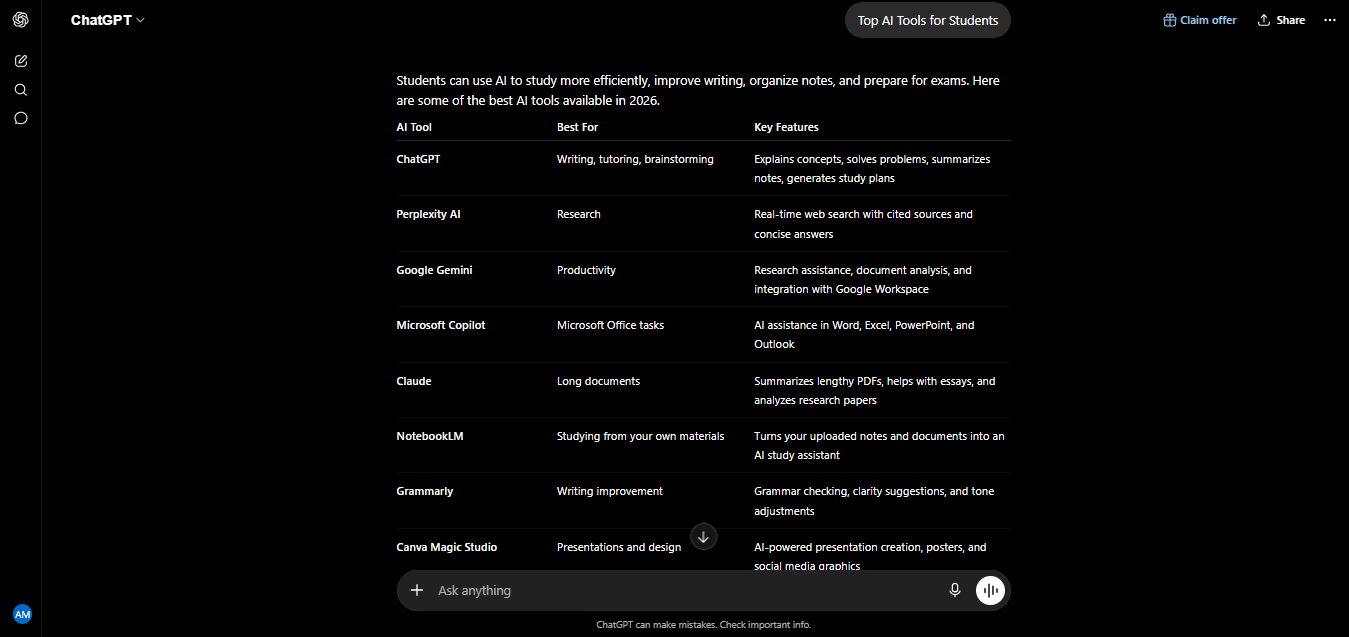
I’ve spent the last 30 months testing AI tools for students-my own coursework, tutoring sessions, and more of other students’ workflows than I can count-and the truth is that most “best AI tools for students” lists are written by people who’ve never actually sat down with a syllabus and a deadline. This one is different. Every tool below has been tested against real coursework: lecture PDFs, problem sets, research papers, and the kind of 11 pm. panic that makes you Google “best AI tools for students” in the first place. This guide covers what AI crosses the line from helpful to risky for your grades.
Quick Answer: Best AI Tools for Students
- Best all-around assistant: ChatGPT or Claude (free tiers cover most coursework)
- Best for research with citations: Perplexity
- Best for turning your own notes into a study guide: NotebookLM
- Best free deal: Google’s student plan (roughly 12 months of Gemini Advanced free via a school email)
- Best for writing and grammar: Grammarly
- Best for CS students: GitHub Copilot (free with the GitHub Student Developer Pack)
My Personal Experience Using AI Tools as a Student
Thirty months ago, I was using ChatGPT the way most students still start: as a slightly smarter search engine, mostly for explaining concepts I’d missed in lecture. That’s changed a lot. These days my actual workflow looks more like a rotation than a single app, NotebookLM for turning a professor’s slide deck into something I can actually quiz myself on, Perplexity when a paper needs real citations instead of a chatbot’s memory, and Claude or ChatGPT for the unglamorous stuff: outlining an essay, rewriting a clunky paragraph, or getting unstuck on a problem set at midnight.
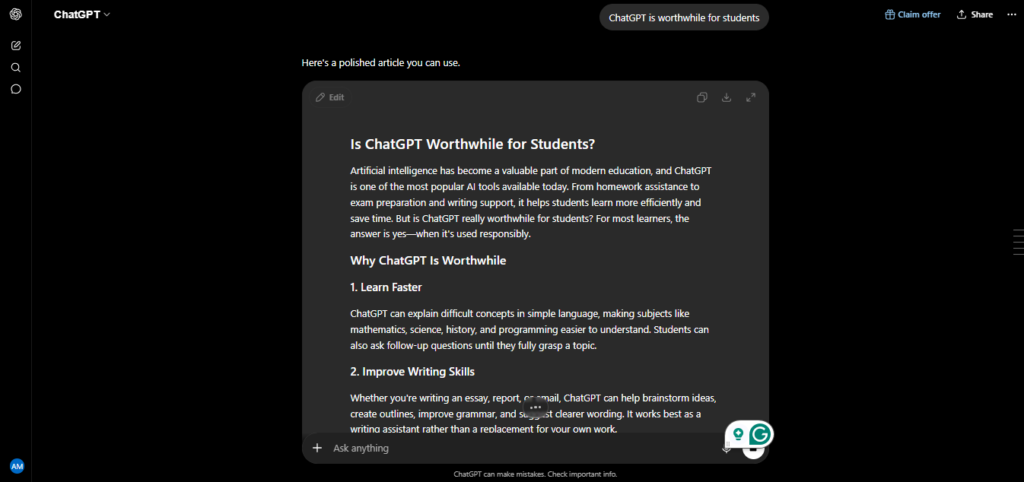
The single biggest shift in how I use these tools has been discipline about what I let them do. Early on, I let a chatbot write too much of a first draft for me, and it showed — the essay came back with a grade that didn’t match my usual work, and a comment that the argument felt generic. That was the moment I started using AI tools for students the way they actually work best: for understanding and organizing, not for producing the final thing I turn in. Since then, the results have been consistently better, and I’ve never had a professor flag anything I’ve submitted. That distinction — using AI to think better versus using it to avoid thinking — is really the whole guide in one sentence.
Best AI Tools for Students, by Category
Here’s what’s actually worth your time, organized by what you’re trying to get done:
General-purpose help — ChatGPT, Claude, Gemini All three handle explaining concepts, brainstorming essay angles, and working through problem sets, and all three have usable free tiers. Claude tends to hold an argument’s structure best across a long essay draft; ChatGPT is the most versatile all-rounder and the one most students reach for first; Gemini is the easy choice if your school already runs on Google Docs and Drive.
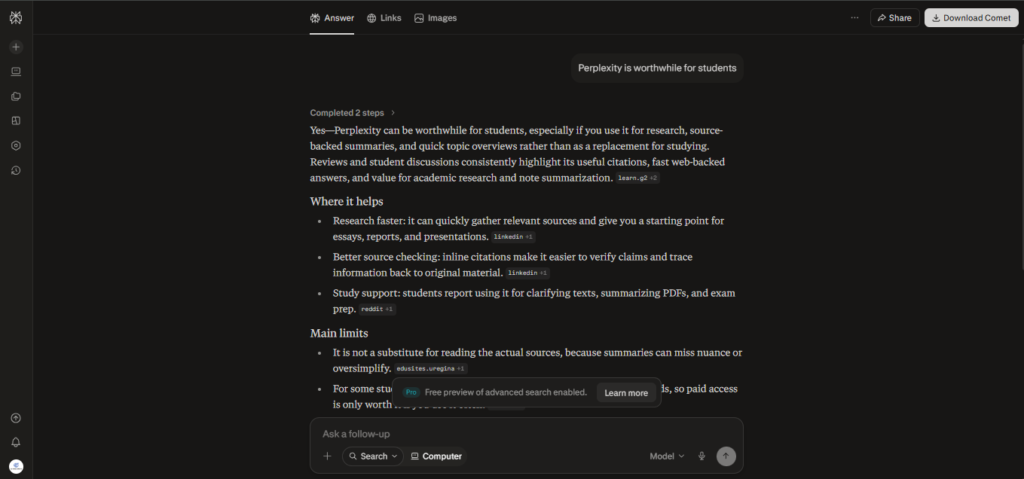
Research and citations — Perplexity Where a general chatbot can occasionally invent a source, Perplexity searches the live web and cites every claim, with an Academic mode built specifically for scholarly sources. For literature reviews and papers, it consistently beats a chatbot working from memory alone.
Turning your own material into study guides — NotebookLM Upload your lecture slides, readings, or notes, and NotebookLM answers questions using only that material, with citations back to the exact page. It’s the closest thing to a tutor who has actually done your specific reading.
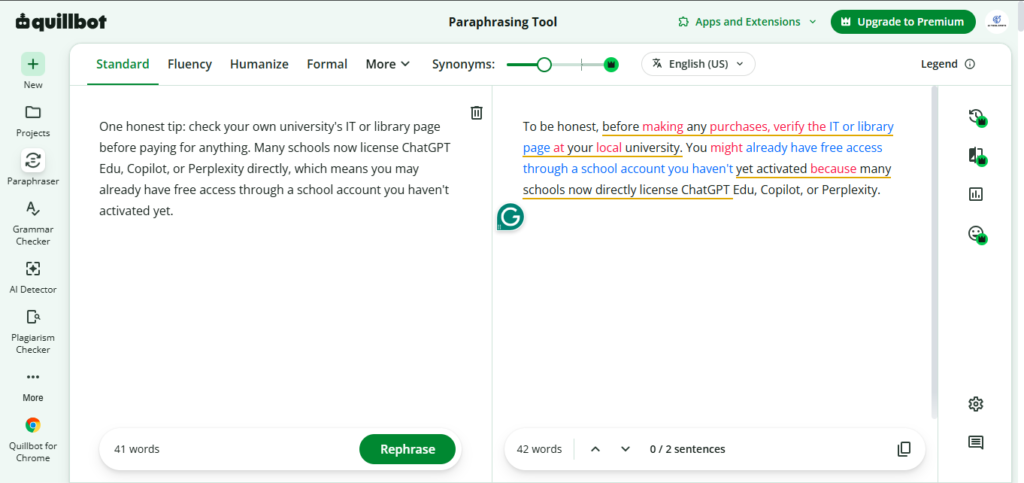
Writing and grammar — Grammarly and QuillBot Grammarly catches grammar, tone, and clarity issues in real time as you write. QuillBot is better for rephrasing your own sentences when you’re stuck in a paraphrasing loop — useful, though it should refine your voice, not replace it.
PDFs and dense reading — ChatPDF Upload a textbook chapter or research paper and ask direct questions instead of rereading the whole thing. Answers come with page references, which makes it easy to verify before you cite anything yourself.
Math and hard STEM — Wolfram|Alpha General chatbots explain concepts well but aren’t built for exact computation. Wolfram|Alpha is built for it — symbolic math, unit conversions, and step-by-step solutions for anything quantitative.
Organization and flashcards — Notion AI and Quizlet Notion AI is useful for managing deadlines and organizing scattered notes into one place. Quizlet (and free alternatives like Knowt) turn any set of notes into flashcards built around active recall and spaced repetition — the study techniques actually backed by research.
Coding — GitHub Copilot CS and engineering students get real value here, especially since Copilot is now free for verified students through the GitHub Student Developer Pack.
Accessibility and audio learning — Speechify If reading dense textbooks is where you lose the most time or focus, text-to-speech tools like Speechify turn PDFs and articles into audio you can listen to on a commute or during a workout — genuinely useful for auditory learners and anyone with a reading-related learning difference.
Free Student Discounts and Access Worth Knowing About
Cost matters for students more than almost anyone else, so it’s worth knowing what’s actually free right now, since this changes often:
- Google’s student plan is the best deal in AI for students in 2026: verified students with a school email in eligible regions get roughly 12 months of Gemini Advanced free, including Gemini 3.1 Pro, Deep Research, NotebookLM Plus, and substantial cloud storage.
- GitHub Copilot is free for verified students through the GitHub Student Developer Pack — genuinely one of the best deals available for anyone learning to code.
- Perplexity offers a discounted education plan for verified students, though the fully free year that circulated widely in 2024–2025 has mostly been replaced by a lower-cost paid tier — check current terms before assuming it’s free.
- ChatGPT does not currently have a standing student discount; a 2025 US/Canada promotion offering free months of Plus has ended and hasn’t been replaced, so most students should plan on the free tier or the full $20/month Plus price.
One honest tip: check your own university’s IT or library page before paying for anything. Many schools now license ChatGPT Edu, Copilot, or Perplexity directly, which means you may already have free access through a school account you haven’t activated yet.
Using AI Tools for Students Responsibly
No honest guide to AI tools for students skips this part. Every professor and university policy I’ve come across draws roughly the same line: using AI to understand a concept, organize research, or check your own writing is normally fine; submitting AI-generated text as your own original work usually isn’t, and detection tools plus a professor’s familiarity with your writing style catch more of this than people expect. The rule that’s kept me clear of any issue is simple: AI can help you think, but it shouldn’t think for you. Use it to explain a concept until you actually understand it, to organize a messy set of notes, or to get unstuck — not to generate the paragraph you’re going to submit. Some professors now explicitly welcome AI for brainstorming and require you to disclose its use; others ban it entirely for graded writing. Both are common in 2026, and assuming the wrong one is the easiest way to turn a useful tool into an academic integrity case.
Pros and Cons
What’s genuinely useful:
- Turns hours of rereading dense material into minutes of targeted review
- Explains concepts at whatever level you actually need, without judgment
- Free tiers now cover most coursework needs without paying anything
- Tools like NotebookLM and Perplexity ground answers in real sources instead of guessing
Where students get burned:
- Treating a confident-sounding answer as automatically correct, especially in niche or fast-moving subjects
- Letting AI write too much of a final draft, which both risks an integrity violation and quietly weakens your own writing skills over time
- Free tier message limits that run out right before a deadline
- Assuming every professor’s AI policy is the same when it isn’t
None of this makes AI a bad idea for students — it just means the tools reward the same thing good studying always has: judgment.
My Rating: Best AI Tools for Students
Based on 30 months of using these tools across real coursework, here’s my honest scorecard for AI tools for students as a category:
| Category | Rating |
| Value for cost (free tiers) | 4.8 / 5 |
| Ease of use | 4.6 / 5 |
| Accuracy & reliability | 3.9 / 5 |
| Study and exam prep usefulness | 4.5 / 5 |
| Risk of misuse (integrity) | 3.5 / 5 |
| Overall | 4.4 / 5 |
The lower marks aren’t really about the tools — they’re about how easy it still is to use them badly. Students who treat AI as a study partner consistently do better than the ones who treat it as an answer machine, and that gap seems to be widening, not shrinking, as the tools get more capable.
Frequently Asked Questions
Are AI tools for students actually allowed at school? Usually yes for studying, research, and brainstorming, but rules vary widely by institution and even by professor for graded work. Always check your syllabus or honor code rather than assuming.
What are the best free AI tools for students? ChatGPT, Claude, and Gemini all have solid free tiers, NotebookLM is free for turning your own notes into study material, and Google’s student plan currently offers roughly a year of Gemini Advanced free.
Can professors tell if I used AI to write my essay? Detection isn’t perfect, but it’s better than most students assume, and a writing style that suddenly shifts is often noticeable without any tool at all. The safer approach is using AI to strengthen your own draft, not generate it.
Is ChatGPT Plus worth paying for as a student? For most coursework, the free tier is enough. Plus is worth it mainly if you regularly hit message limits or need Deep Research for serious research papers.
What’s the single best AI tool for students to start with? Whichever general assistant you already have free access to — ChatGPT, Claude, or Gemini. Add a specialist tool like Perplexity or NotebookLM once you know what specific task is actually eating your time.
Do AI tools work well for group projects? Yes, especially for the coordination parts — summarizing a group chat into action items, turning scattered notes from different members into one outline, or drafting a shared presentation skeleton. Just make sure everyone in the group is following the same academic integrity rules before you rely on AI for any graded, shared deliverable.
Final Verdict
After 30 months of using AI tools for students across real coursework, my honest conclusion is that the technology has genuinely earned its place in a student’s toolkit — provided it stays in the role of tutor and research assistant rather than ghostwriter. The free tiers alone now cover most of what a typical student needs, the specialist tools like NotebookLM and Perplexity solve real problems general chatbots don’t, and the students who benefit most are consistently the ones using AI to understand material better, not to skip understanding it altogether. Start with whichever general assistant you already have access to, add one specialist tool for your biggest time sink, and check your school’s policy before you submit anything AI touched.
AI Tool Spots is a technology-focused platform dedicated to sharing the latest updates in Artificial Intelligence, software tools, automation, SEO, and digital innovation. We publish informative guides, honest reviews, tech tutorials, and valuable resources to help bloggers, entrepreneurs, marketers, and tech enthusiasts stay ahead in the digital world. Learn more at aitoolspots.com.