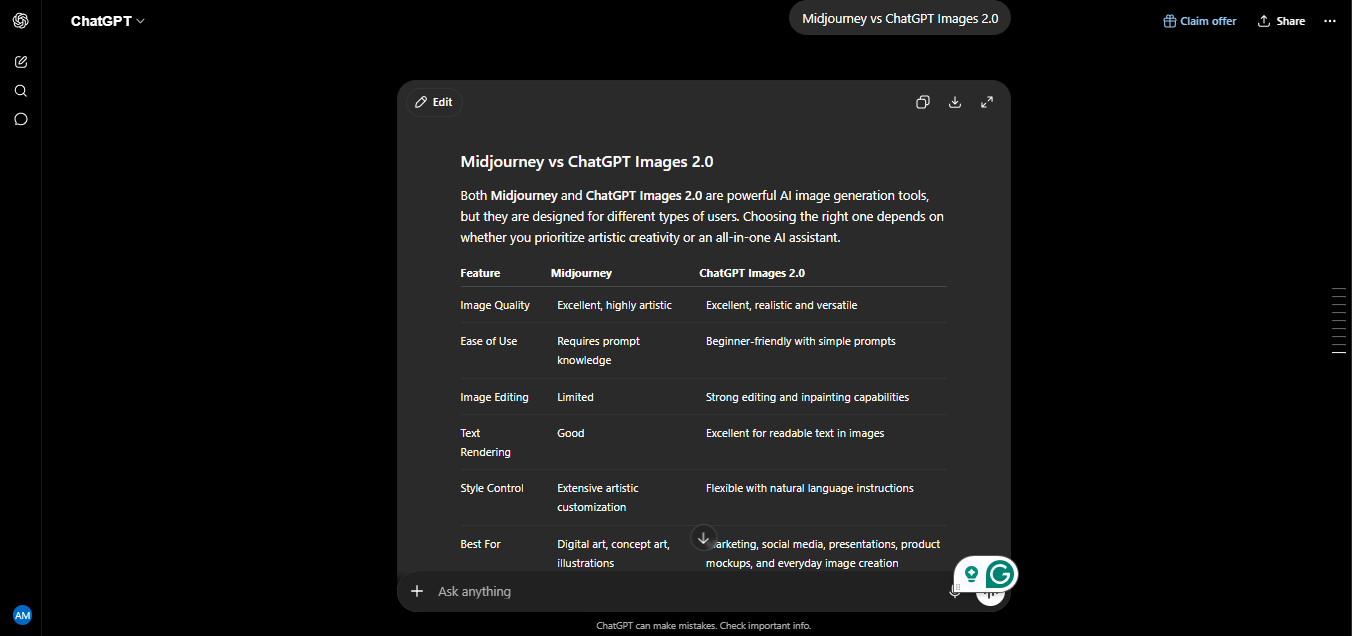
Midjourney vs ChatGPT Images 2.0 is the AI image generation comparison that actually matters in mid-2026, and I’ve got real testing history behind it. I’ve been generating images with both platform for the last 24 months, starting back when OpenAI’s image tool was still DALL-E 3, and continuing right through its retirement and replacement earlier this year. I’ve used both for blog thumbnails, client social graphics, concept art experiments, and product mockups-real deliverables, not just playground prompts.
This comparison reflects that full 24-month arc, including the transition most other articles either miss entirely or gloss over. Let me start with that, because it matters for anyone landing here from a search for the old comparison.
Quick Note: What Happened to DALL-E 3?
If you’ve been searching for “Midjourney vs DALL-E 3, here’s what you need to know: OpenAI officially retired both DALL-E 2 and DALL-E3 on May 12, 2026. Inside ChatGPT, the transition actually happened earlier and quietly, users were automatically moved from DALL-E 3 to ChatGPT Image 1.5 back in December 2025. Then, on April 21, 2026, OpenAI shipped ChatGPT Images 2.0 (built on the gpt-image-2 model), which is the current flagship image tool inside ChatGPT today.
So if you’re comparing your options in mid-2026, DALL-E 3 simply isn’t one of them anymore. This article compares Midjourney against the tool that actually replaced it.
What Are These Tools?
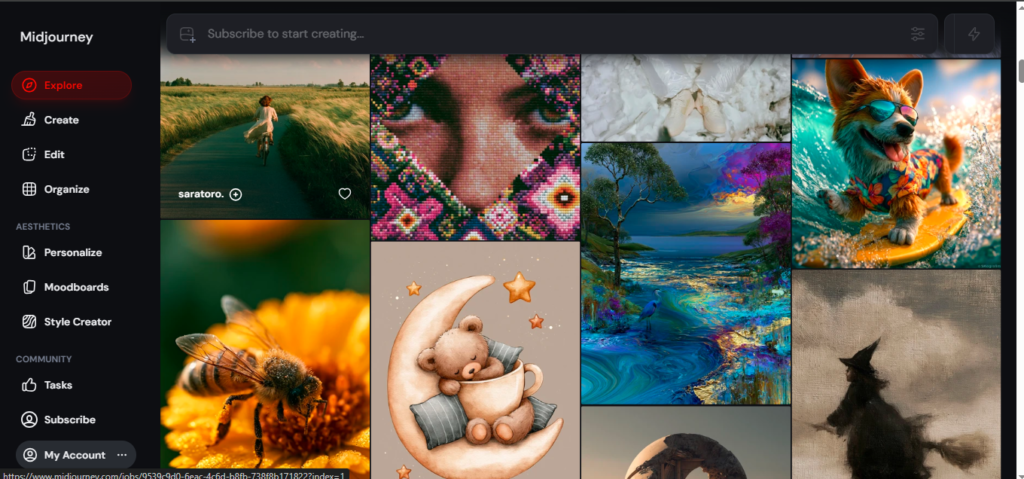
Midjourney is a standalone AI image generation platform, historically run through Discord and now also available through its own web app. It has built its reputation almost entirely on aesthetic quality — cinematic lighting, painterly composition, and a distinctive visual style that’s become instantly recognizable across creative and marketing communities.
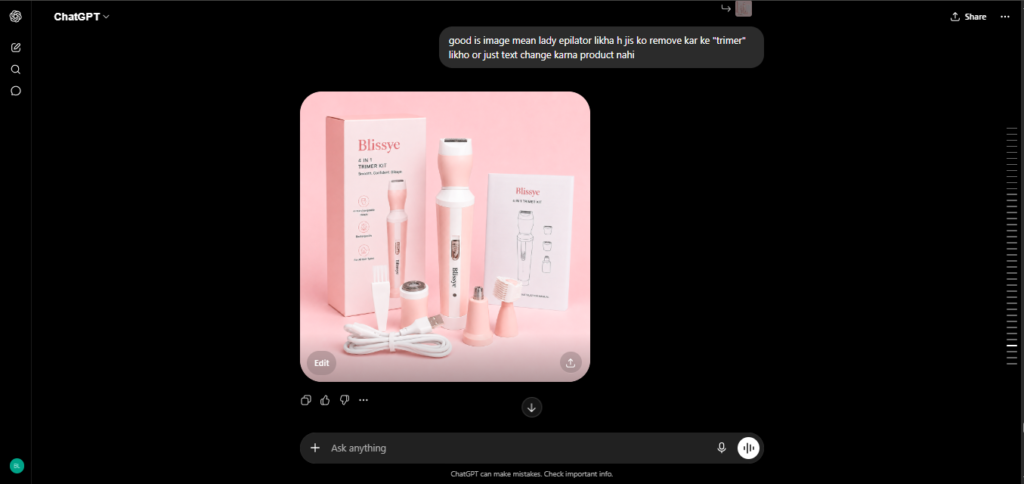
ChatGPT Images 2.0 is OpenAI’s current image generation system, built directly into ChatGPT and accessible via the gpt-image-2 API. Unlike Midjourney, it’s not a separate destination — it’s a capability inside the same conversational interface you already use for text, meaning it understands context from your ongoing conversation rather than working from an isolated prompt.
My Personal Experience: 24 Months of Testing
I want to walk through this honestly, because my experience actually spans the exact transition this article is about.
I started testing OpenAI’s image tool through ChatGPT Plus about 24 months ago, back when it was still DALL-E 3. My early use case was simple: quick blog post thumbnails and basic product mockups where speed mattered more than artistic polish. DALL-E 3 was genuinely good at that — it followed detailed instructions reliably and rarely produced anything unusable.
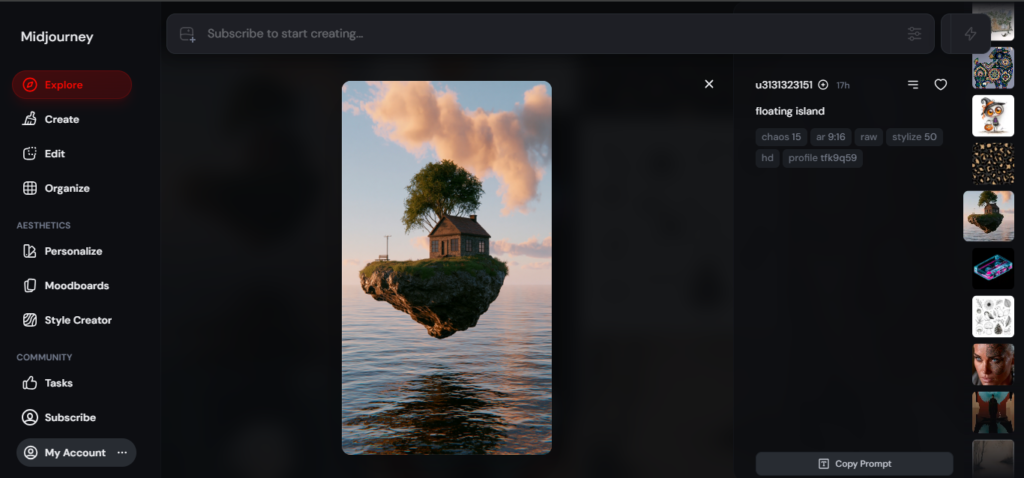
Midjourney entered my workflow a few months later, specifically for a client project that needed something with real visual personality — not just an accurate illustration, but something that looked deliberately designed. The difference was obvious within the first few generations. Midjourney’s default output simply had more atmosphere — better lighting, more considered composition — even on fairly generic prompts. That gap has been the defining difference in my experience across the entire 24-month period, and it’s still true today.
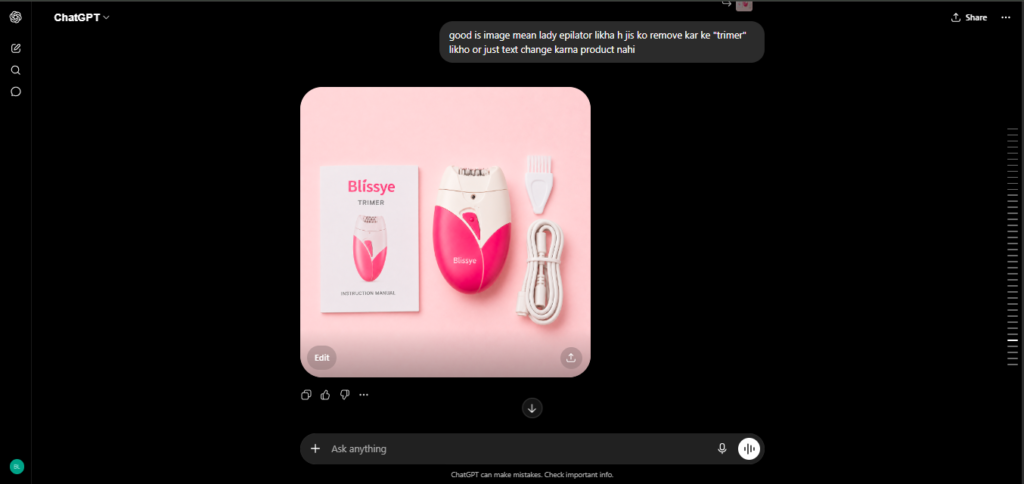
Around month 14, I noticed OpenAI’s image tool inside ChatGPT quietly getting better without me changing anything about how I used it — that was the automatic shift to GPT Image 1.5 in December 2025. Text in images started rendering cleanly for the first time, which mattered a lot for the social graphics and infographic-style work I was doing for clients.
Then in April 2026, ChatGPT Images 2.0 launched, and the improvement was the most noticeable jump in the entire 24 months. I tested it specifically on a multi-panel product comparison graphic — something that used to require multiple separate generations stitched together — and it produced eight coherent, consistent panels in a single request, maintaining the same product and background across all of them. That’s a genuinely new capability, not just a quality bump.
Where Midjourney still wins in my day-to-day use, even now: anything where the final image needs to feel art-directed rather than accurate. For concept art, mood boards, and stylized marketing visuals, I still reach for Midjourney first. For anything requiring text, precise instruction-following, or multiple consistent images from one prompt, ChatGPT Images 2.0 has become my default over the last few months.
Image Quality and Aesthetics
This is where the two tools diverge most clearly, and 24 months of testing hasn’t changed my conclusion here. Midjourney’s V7 model still produces the more immediately striking default output — richer lighting, more deliberate color grading, and a painterly quality that other tools generally only achieve with significant prompt engineering effort.
ChatGPT Images 2.0 has closed the gap substantially and reportedly leads current image-generation benchmark leaderboards overall, but the win there is driven more by instruction-following, text accuracy, and reasoning than by raw stylization. For pure aesthetic impact on a first try, Midjourney remains the stronger choice in my hands-on experience.
Text Rendering and Instruction Following
This category isn’t close. ChatGPT Images 2.0 renders legible, accurate text within images reliably — something that used to be a genuine weak point across the entire AI image generation category, DALL-E included. For social graphics, infographics, posters with headlines, or any image where readable text is part of the design, this is the clear advantage.
Midjourney has improved its text handling over recent versions, but it’s still noticeably behind. If a project doesn’t need any text in the final image, this difference won’t matter to you. If it does, ChatGPT Images 2.0 wins decisively.
Multi-Image Consistency
ChatGPT Images 2.0’s ability to generate multiple coherent images from a single prompt — maintaining the same character, product, or scene across up to eight images — is a genuinely new capability that neither Midjourney nor the old DALL-E 3 offered at this level. For storyboards, product photography sets, or study materials needing consistent visuals, this single feature can replace what used to be a manual, multi-generation workflow.
Midjourney handles character and style consistency reasonably well within a single session using reference images, but it doesn’t match this native multi-panel coherence in one request.
Interface and Workflow
ChatGPT Images 2.0 wins clearly on accessibility and workflow integration. It lives inside the same chat interface you’re already using, understands conversational context, and requires no separate account or platform to learn.
Midjourney’s web app has matured, but its roots are still visible — the workflow leans more toward iterative exploration (generating variations, upscaling, remixing) than the quick, single-shot accuracy ChatGPT Images 2.0 targets. For developers and enterprise users specifically, Midjourney’s API access remains more limited compared to OpenAI’s more mature developer tooling.
Speed
ChatGPT Images 2.0 is noticeably faster for straightforward requests, generating results in seconds within an ongoing conversation. Midjourney’s generation speed depends on your plan tier and current queue load — Standard and Pro plans get faster relative processing, but the overall experience still involves more back-and-forth (generating, upscaling, regenerating variations) before landing on a final image.
Pricing Comparison (2026)
| Plan | Midjourney | ChatGPT Images 2.0 |
| Free Tier | Not available | Yes (limited generations) |
| Entry Paid Plan | ~$10/month (Basic) | Included in ChatGPT Plus ($20/month) |
| Higher Tier | Up to ~$120/month (Pro/Mega) | Included in ChatGPT Pro ($200/month) |
| API Access | Limited/developing | $0.009–$0.20 per image (gpt-image-2) |
| Commercial Rights | Included on paid plans | Included by default |
My honest take: Midjourney has no free tier at all — you’re paying from your very first image. ChatGPT Images 2.0’s biggest practical advantage is that it’s bundled into a subscription most people already have for other reasons (ChatGPT Plus), making the effective cost of image generation close to zero for existing subscribers.
Who Should Use Which Tool?
Choose Midjourney if:
- You need striking, art-directed visuals for branding, concept art, or marketing where aesthetic impact matters most
- You’re a designer or artist who values iterative exploration — generating variations and refining toward a final piece
- Text rendering inside the image isn’t a requirement
Choose ChatGPT Images 2.0 if:
- You need accurate text rendered within images — social graphics, infographics, posters with headlines
- You want multiple consistent images from a single prompt — storyboards, product sets, multi-panel content
- You’re already paying for ChatGPT Plus and want image generation without an additional subscription
- Speed and instruction-following accuracy matter more than maximum stylization
Use both if: Like my own workflow, many creators benefit from Midjourney for hero visuals and brand-defining imagery, paired with ChatGPT Images 2.0 for fast, accurate supporting graphics and anything requiring text.
Pros and Cons
Midjourney Pros
- Best-in-class aesthetic quality and artistic stylization
- Strong community, prompt libraries, and shared creative culture
- Commercial rights included on paid plans
Midjourney Cons
- No free tier — cost from the first image
- Weaker text rendering compared to ChatGPT Images 2.0
- Limited API access restricts developer and enterprise integration
- More iterative workflow requires more time per final image
ChatGPT Images 2.0 Pros
- Leads current benchmark leaderboards for overall image quality and instruction-following
- Best-in-class text rendering inside generated images
- Multi-image coherence — up to 8 consistent images from one prompt
- Bundled into existing ChatGPT subscriptions — minimal added cost for current users
- Faster, more accessible workflow inside a familiar chat interface
ChatGPT Images 2.0 Cons
- Slightly behind Midjourney on raw aesthetic stylization for art-directed work
- Content filters can occasionally reject legitimate, non-sensitive prompts
- Newer API access still maturing compared to Midjourney’s established creative ecosystem
My Ratings
| Category | Midjourney | ChatGPT Images 2.0 |
| Aesthetic Quality | 4.8/5 | 4.4/5 |
| Text Rendering | 3.2/5 | 4.8/5 |
| Ease of Use | 3.8/5 | 4.7/5 |
| Value for Money | 3.9/5 | 4.6/5 |
| Overall Rating | 4.3/5 | 4.6/5 |
Final Verdict
After 24 months of testing — spanning the entire arc from DALL-E 3 through its retirement to ChatGPT Images 2.0 — my honest conclusion is that these two tools have settled into genuinely complementary roles rather than direct substitutes.
Midjourney remains the stronger choice when the final image needs to look deliberately art-directed — brand visuals, concept art, anything where aesthetic impact is the entire point. ChatGPT Images 2.0 has become the more practical daily tool for accuracy, text, multi-image consistency, and simple convenience, especially if you’re already inside the ChatGPT ecosystem.
If I could only keep one, based on how my own workflow has actually shifted over the last few months, it would be ChatGPT Images 2.0 — the combination of speed, accuracy, and bundled pricing covers more of my actual day-to-day needs. But for any project where visual impact is the priority, Midjourney still earns its place in the stack.
Frequently Asked Questions
Is DALL-E 3 still available in 2026?
No. OpenAI retired both DALL-E 2 and DALL-E 3 on May 12, 2026. Inside ChatGPT, users were automatically transitioned to GPT Image 1.5 in December 2025, and then to ChatGPT Images 2.0 in April 2026, which is the current flagship image tool.
Is Midjourney better than ChatGPT Images 2.0?
It depends on your goal. Midjourney produces more striking, art-directed aesthetic quality by default. ChatGPT Images 2.0 leads on text rendering, instruction-following accuracy, and generating multiple consistent images from a single prompt.
Does Midjourney have a free plan?
No. Midjourney has no free tier — paid plans start around $10/month. ChatGPT Images 2.0 offers a limited free tier and is also bundled into ChatGPT Plus at $20/month.
Can ChatGPT Images 2.0 generate multiple consistent images at once?
Yes. ChatGPT Images 2.0 can generate up to 8 coherent images from a single prompt while maintaining consistent characters, objects, and backgrounds — a capability neither Midjourney nor the older DALL-E models offered at this level.
Which tool is better for text inside images?
ChatGPT Images 2.0 is significantly stronger for rendering accurate, legible text within generated images, making it the better choice for social graphics, infographics, and posters with headlines.
Is ChatGPT Images 2.0 the same as DALL-E?
No. ChatGPT Images 2.0 is a newer, separate model (gpt-image-2) that replaced DALL-E 3 as OpenAI’s image generation system. It introduces native reasoning capabilities — including self-verification and multi-image coherence — that DALL-E 3 did not have.
AI Tool Spots is a technology-focused platform dedicated to sharing the latest updates in Artificial Intelligence, software tools, automation, SEO, and digital innovation. We publish informative guides, honest reviews, tech tutorials, and valuable resources to help bloggers, entrepreneurs, marketers, and tech enthusiasts stay ahead in the digital world. Learn more at aitoolspots.com.