The use of AI-powered writing aides to enhance grammar, style, and clarity has become commonplace in many workflows. Although there are numerous tools available to refine already-written content, the choices can be perplexing. This article provides a factual, side-by-side analysis of two well-liked options, Grammarly vs Quillbot, outlining their advantages and target audiences. For individuals whose primary objective is to produce content from scratch rather than merely modify it, we will also discuss platforms such as the AI Tool Spots blog writer.
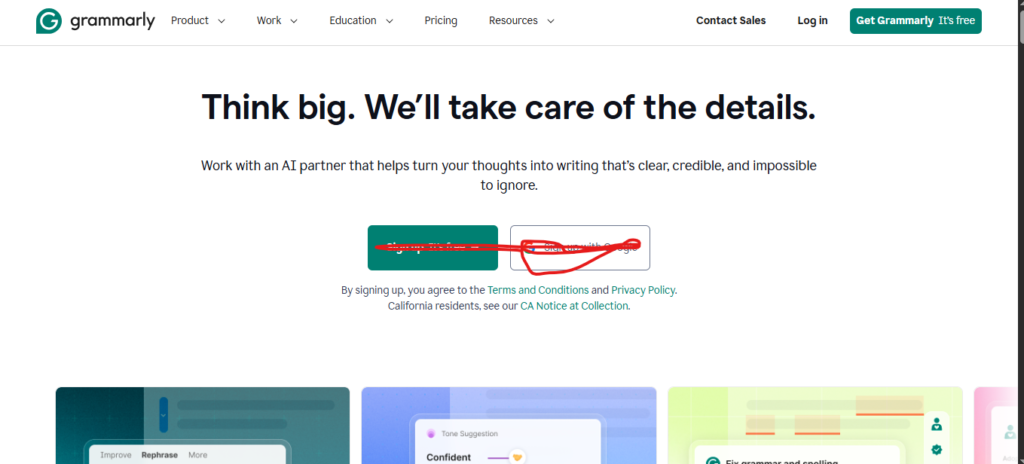
What is Grammarly?
Grammarly is a comprehensive writing tool that focuses on improving style, grammar, spelling, and punctuation. Its functions go beyond basic error correction; it provides comments on fluency, tone detection, and ideas for improving wordy sentences. You can also create concepts, outlines, and brief passages of text using its generative AI features. Grammarly is designed for a broad range of users, including writers, professionals, and students who require a dependable tool for editing and polishing their final drafts. It is accessible via desktop applications, mobile keyboards, and browser extensions, making it compatible with the majority of online writing environments.
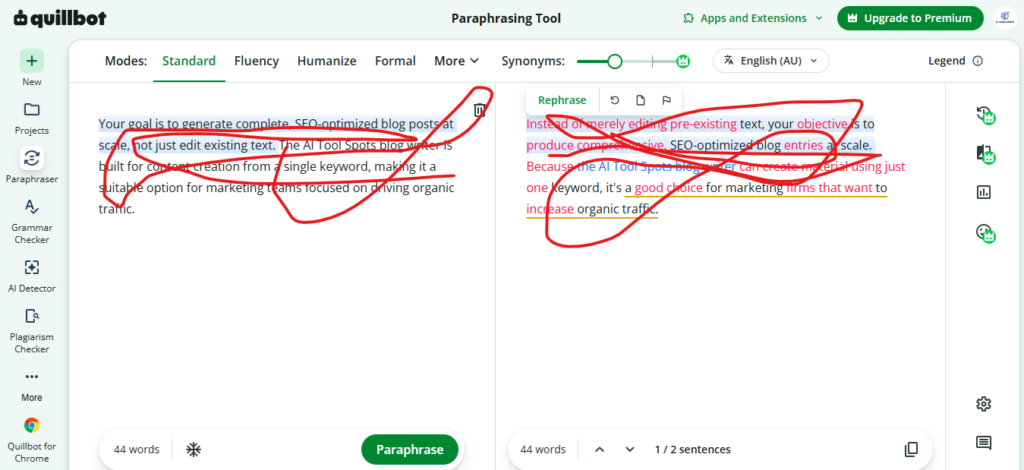
What is Quillbot?
The most well-known feature of Quillbot, an AI writing toolkit, is its sophisticated paraphrasing capability. It allows you to manage the number of synonyms used and rephrase text using several modes, such as Standard, Fluency, Formal, or Creative. In addition to paraphrasing, Quillbot offers a Citation Generator that supports over 1,000 styles, a Summarizer, and a Translator for more than 50 languages. Students, scholars, and writers who need to synthesize material, enhance fluency, or repurpose text are the primary users.
A feature-by-feature comparison of Grammarly vs Quillbot
It is helpful to directly compare Grammarly vs Quillbot’s primary functions in order to understand the practical differences between them. An unbiased examination of their features, functionality, and cost is provided in the following sections.
| Feature | Grammarly | Quillbot | Winner |
| Primary Function | All-in-one writing assistant | Paraphrasing and writing tool suite | Tie (Depends on need) |
| Grammar Checking | Comprehensive and detailed | Functional for basic errors | Grammarly |
| Paraphrasing | Basic sentence rewriting for clarity | Advanced tool with multiple modes | Quillbot |
| Plagiarism Detection | Unlimited checks, lower accuracy | Limited checks, higher accuracy | Quillbot (for accuracy) |
| Additional Tools | Tone detector, generative AI | Summarizer, translator, citation generator | Quillbot |
| Integrations | Browser, desktop, and mobile apps | Browser extensions and Word add-in | Grammarly |
| Pricing (Annual) | $12/month | $8.33/month | Quillbot |
Grammar and spell checking for Grammarly vs Quillbot
Grammarly’s grammar checker is its primary advantage. It offers recommendations on style, tone, and clarity by highlighting things like wordy sentences or passive voice, in addition to correcting basic spelling and punctuation. It is therefore an all-inclusive proofreading tool. Its guidance on verb tenses and comma rules is frequently useful to non-native English speakers.
The grammar checker on Quillbot works well at identifying common spelling, punctuation, and grammar mistakes. It highlights typical errors and aids in document cleanup. It does not, however, offer the same degree of stylistic feedback or tone analysis as Grammarly, nor is it as detailed. It functions well for a quick check, but Grammarly provides more thorough feedback if you’re looking for in-depth comments on the subtleties of your writing.
Paraphrasing and rewriting: A key difference in Grammarly vs Quillbot
Quillbot’s main skill is its ability to paraphrase. You can modify the revised text for various purposes using its many modes (Standard, Fluency, Formal, Creative, Academic). This helps with content adaptation for different audiences. Additionally, you may precisely regulate the outcome by using a synonym slider to adjust the amount of the original vocabulary that is altered. Because of this, it’s an excellent tool for authors, researchers, and students who wish to reword information for clarity or uniqueness without losing the original meaning.
Grammarly has a rewriting feature, but it’s used for something else. It is primarily used to improve clarity by rewording specific sentences that are ambiguous, excessively lengthy, or grammatically incorrect. Rather than being a specialized tool for paraphrasing entire passages, it concentrates on refining already written text. According to a Demand Sage review, Quillbot is more specialized if your primary objective is to rewrite or repurpose text because its features are designed for that particular task.
Plagiarism detection performance in Grammarly vs Quillbot
Both tools include a plagiarism checker, but their performance and limits are quite different, creating a clear trade-off.
Unlimited plagiarism tests against a vast library of scholarly articles and websites are included with Grammarly’s Pro plan. This is useful if you frequently need to review a large number of documents. Its efficacy has been contested, nevertheless. Grammarly’s checker only identified 3% of plagiarism from an online sample, according to a study by AcademicHelp, indicating that it might overlook some forms of copied content.
However, Quillbot’s plagiarism detector performed significantly better in the same test, identifying 99.5% of the copied content. This suggests a greater degree of precision. One drawback is that you can only scan up to 20 pages each month (a page is roughly 250 words) with the Premium subscription. This improves Quillbot’s accuracy for sporadic, crucial inspections, but anyone with high-volume requirements will find the low monthly limit to be a major hindrance.
AI features and content generation: A Grammarly vs Quillbot analysis
Both Quillbot and Grammarly have included generative AI to assist with writing, but neither is designed to produce comprehensive, lengthy pieces from a single suggestion. Their AI features are meant to assist with editing, not to take the role of content production.
GrammarlyGO provides assistance with outlining, brainstorming, and writing brief messages such as paragraphs or emails. It serves as a co-writer’s assistant. However, there are some prompts that limit its use. Pro users receive 2,000 prompts per month—much more than free users, but still a set quantity—while free users receive 100.
For comparable brainstorming and drafting, Quillbot provides AI Chat. Additionally, it contains an AI detector, but some reviews point out that it can be erroneous, occasionally identifying human-written content as AI-generated.
User experience and integrations for Grammarly vs Quillbot
Grammarly offers a more cohesive user experience on various platforms. It is accessible as a desktop application for Windows and Mac, a mobile keyboard for iOS and Android, and a browser extension for Chrome and Edge. Because of its widespread availability, you can find its recommendations in emails, posts on social media, and applications like Slack and Google Docs. It is a handy utility that runs continuously in the background because of its uniformity between devices.
Quillbot’s integrations are somewhat restricted; it primarily provides a Microsoft Word add-in and a Chrome browser extension. This does not have specific desktop or mobile apps, but it does cover common writing environments. If you write on other devices or outside of Word or a web browser, it becomes less accessible. Although it doesn’t have the same reach as Grammarly, the user experience is straightforward on the platforms it supports.
An alternative for end-to-end content generation: AI Tool Spots blog writer
Grammarly vs Quillbot work well for editing and rewording material, but they aren’t meant to produce entire articles. The AI Tool Spots blog writer provides a solution that focuses on production rather than merely correction for users who need to create content from beginning.
AI Tool Spots is designed to generate a completely organized, SEO-optimized blog post from a single term or topic. It has features that improve search engine ranking and reader engagement in addition to text generation. Important distinctions consist of:
- Automatic assets: The AI generates and adds relevant images, infographics, and tables directly into the article.
- Authentic social proof: It finds and includes real quotes and discussions from platforms like Reddit to add credibility.
- Deep research with citations: The AI conducts research and automatically adds external links to sources, improving the content’s authority.
In just a few months, AI Tool Spots’s blog increased from 700 to over 750,000 daily impressions thanks to this strategy. For teams concentrating on increasing content production for organic growth, it is an alternative.
Choosing between Grammarly vs Quillbot: Which tool is right for you?
Your primary writing tasks will determine whether you should use Quillbot or Grammarly. The best option is the one that works for your workflow; neither is “best” in every situation.
- Use Grammarly if: Your main objective is to polish and proofread your text. It is an all-inclusive tool for professionals, marketers, and anyone who requires their final work to be error-free because of its thorough grammar, style, and tone recommendations.
- Use Quillbot if: You must summarize, paraphrase, or write academically. Students and content makers who recycle or condense knowledge can benefit greatly from its sophisticated paraphrase modes and tools like the Summarizer and Citation Generator.
- Use both together for: a thorough process. Many individuals use Grammarly for a last, in-depth review of grammar, style, and tone after using Quillbot to paraphrase a draft for clarity and originality.
- Consider an alternative like AI Tool Spots if: Instead of merely editing pre-existing text, your objective is to produce comprehensive, SEO-optimized blog entries at scale. Because the AI Tool Spots blog writer can create material using just one keyword, it’s a good choice for marketing firms that want to increase organic traffic.

AI Tool Spots is a technology-focused platform dedicated to sharing the latest updates in Artificial Intelligence, software tools, automation, SEO, and digital innovation. We publish informative guides, honest reviews, tech tutorials, and valuable resources to help bloggers, entrepreneurs, marketers, and tech enthusiasts stay ahead in the digital world. Learn more at aitoolspots.com.