Introduction: My Real Experience with Perplexity AI
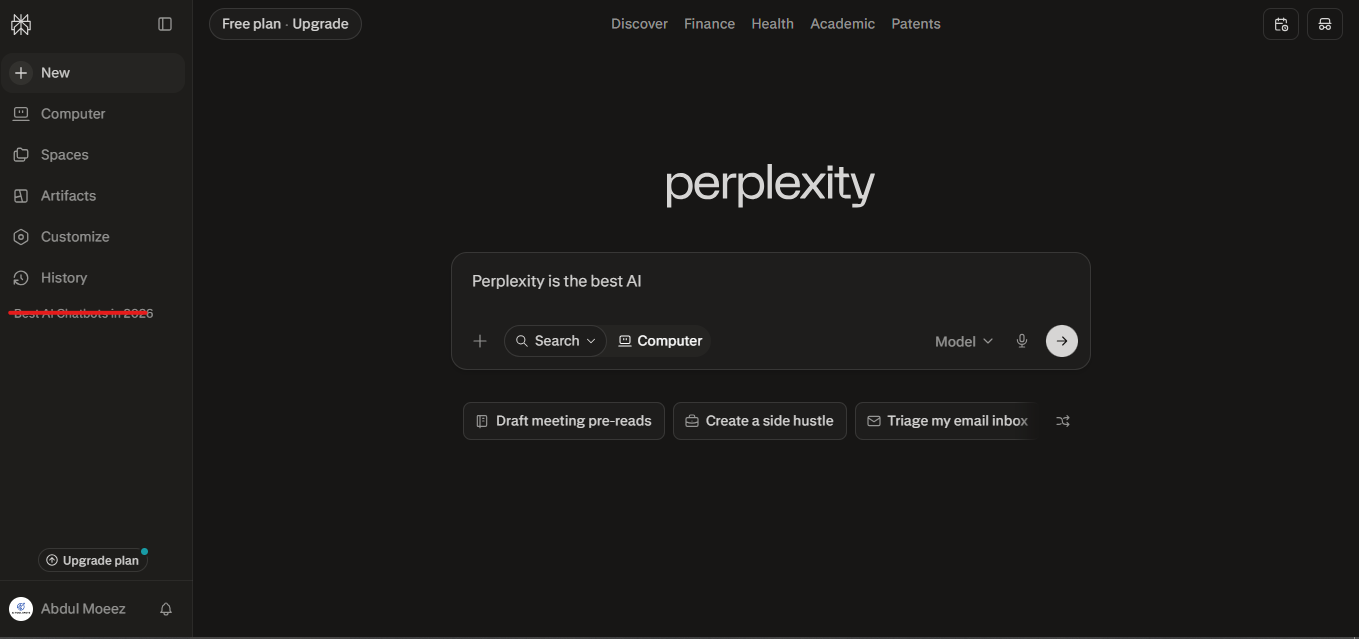
I have been actively using Perplexity AI in my daily research workflow for the last 2 months, and honestly, this tool has completely changed the way I do research. Before discovering it, I would open 10 to 15 tabs on Google for a single topic, each article pointing in a different direction, and the whole process would end up being more confusing than helpful. When I first tested Perplexity, I quickly realized this was not just another AI chatbot. It is a proper research engine that works with real-time web results and actually cites its sources.
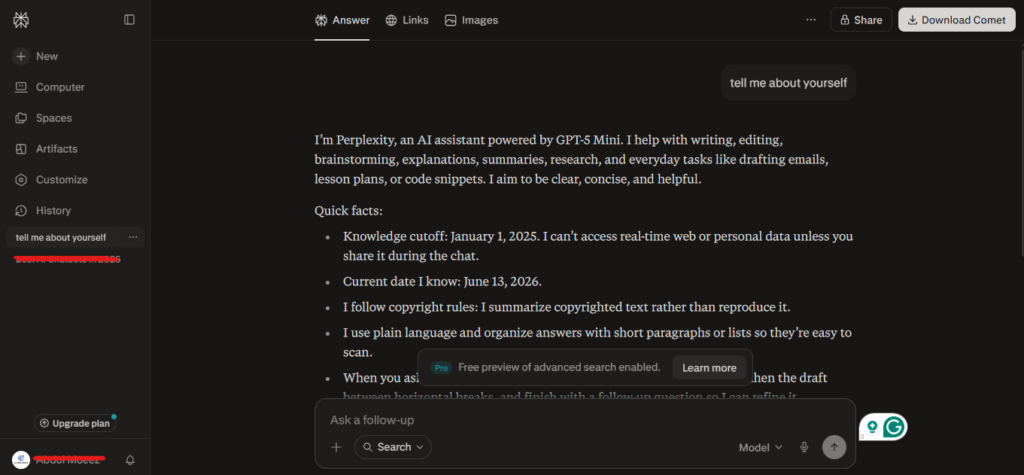
Over these two months, I used it for academic research, content writing, competitor analysis, and fact-checking. In this article, I am sharing everything I personally learned through hands-on testing — step by step, with practical tips you can apply right away. If you are serious about getting the most out of this tool, this guide was written for you.
What is Perplexity AI? (And Why It Is Different from Google)
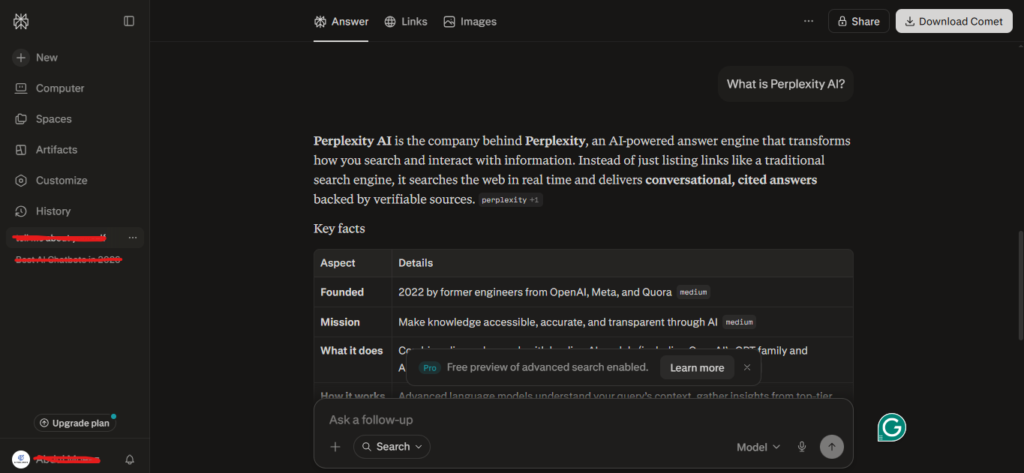
Perplexity AI is an AI-Powered answer engine that combines large language models (LLMs) with real-time web search. In simple terms, when you ask it a question, it does not just pull from its training data — it fetches live sources from the internet, analyzes them, and delivers a summarized, fully cited answer.
What genuinely sets Perplexity apart from other tools:
- Cited Sources: Every claim comes with a source link so you can verify it yourself
- Real-Time Information: Access to the latest news, recent studies, and up-to-date data
- Follow-up Conversations: You can continue the conversation and it retains context throughout
- Academic Mode: Specifically searches scholarly databases and peer-reviewed sources
- Pro Search Mode: Enables deeper, multi-step research (available on the paid plan)
When I tested both Google and Perplexity on the same topic, “impact of AI on freelance writing”, Google gave me 10 links I had to read individually. Perplexity gave me a structured summary, cited 6 sources, and suggested relevant follow-up questions. The time I saved as a researcher was easily over 70 percent.
How to Use Perplexity AI for Research: Step-by-Step
Step 1: Setting Up Your Account and Understanding the Interface
Getting started with Perplexity is straightforward:
- Go to perplexity.ai
- Create a free account by signing in with Google or your email
- You will land on a clean homepage with a simple search bar — that is where everything begins
Once you are inside, here are the key interface elements to know:
- Search Bar: Where you type your question or research query
- Focus Options: Switch between Web, Academic, YouTube, Reddit, and more
- Threads: All your past searches are saved here for easy reference
- Collections: Folder-style organization for grouping related research threads
Tip: The very first thing you should explore when you use Perplexity for the first time is the Focus feature — it dramatically improves the quality and relevance of your results.
Step 2: Asking the Right Questions (Prompt Engineering)
The biggest lesson I learned during my two months of testing was this: the quality of your output depends entirely on the quality of your input.
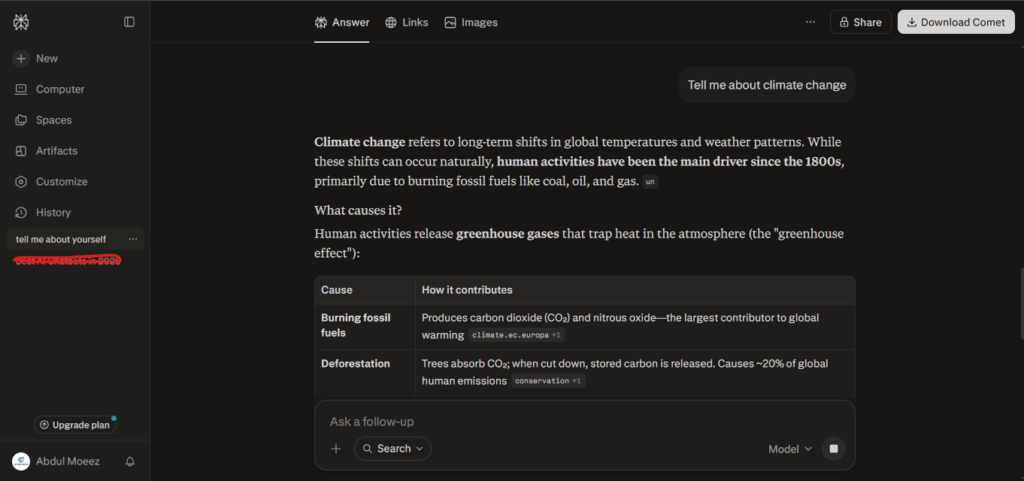
Weak query: “Tell me about climate change”
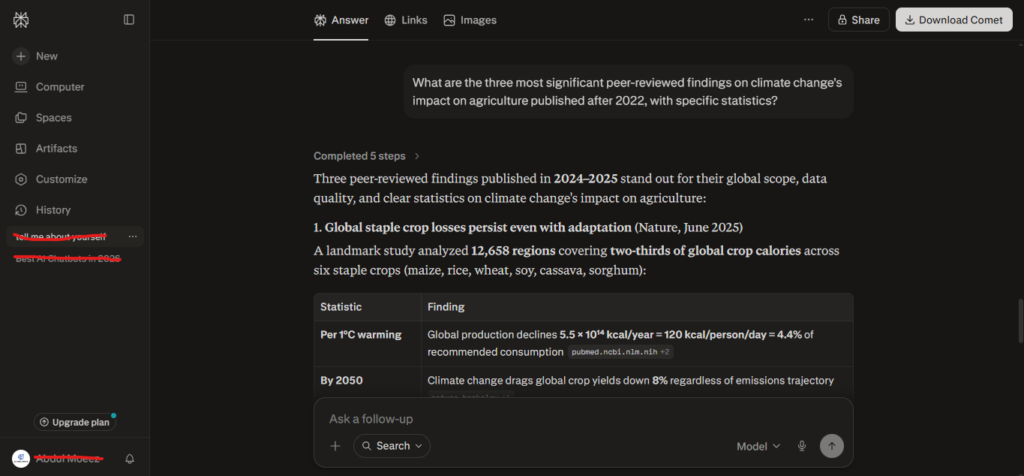
Strong query: “What are the three most significant peer-reviewed findings on climate change’s impact on agriculture published after 2022, with specific statistics?”
Rules for effective prompting when you use Perplexity:
- Be specific: Vague questions produce vague answers — every time
- Provide context: Start with “I am writing an academic paper on…” or “I am a student researching…”
- Specify the format: Say “Give me a bullet-point summary” or “Explain this in simple language”
- Include a time frame: Add “In the last 6 months” or “Since 2023” to get current information
- State the depth you need: “Briefly explain” gives very different results than “Give a detailed analysis with examples”
This single habit, crafting better prompts, will make a night-and-day difference in your research results.
Step 3: Using Perplexity for Academic Research
This is the area where Perplexity impressed me the most. When I tested this feature for content research, I no longer needed to spend hours manually searching through Google Scholar.
How to activate Academic Mode:
- Click the “Focus” option just below the search bar
- Select “Academic”
- Perplexity will now pull results specifically from scholarly databases like PubMed, arXiv, and Semantic Scholar
What I personally accomplished using Academic Mode:
- Got research paper summaries without having to read full PDFs
- Identified contradictions and disagreements across multiple studies
- Quickly compiled key findings for literature reviews
- Copied properly formatted citations directly from the results
Pro Tip: One specific trick I discovered in Academic Mode — add the phrase “and cite the publication year and journal name” at the end of your question. This forces Perplexity to return properly formatted academic references, which saves a tremendous amount of time.
Step 4: Getting the Most Out of Pro Search
Even the free version of Perplexity is genuinely powerful, but the Pro Search feature is a real game-changer for serious researchers.
Here is how I used the Pro version for specific tasks:
Multi-Step Research: When you are researching a complex topic, pro search automatically runs multiple related sub-queries and combines them into one comprehensive answer. For example, when I searched “sustainable packaging trends in e-commerce 2024,” Pro Search independently ran three sub-queries — industry statistics, consumer behavior studies, and company case studies — and delivered a final answer that covered all three dimensions seamlessly.
Comparison Research: For “Compare X vs Y” style queries, Pro Search delivers detailed, balanced output that covers both sides thoroughly. I used this extensively for competitor analysis work.
Data-Heavy Topics: On topics that require statistics, market research, or numerical data, Pro Search pulls more accurate and current figures compared to the standard search.
Step 5: Understanding and Using Focus Modes
One of the most underrated features when you use Perplexity is its Focus modes — they allow you to narrow your search to a specific type of source depending on your research goal. I tested every mode for different tasks, and here is what I found:
| Focus Mode | Best For | When I Used It |
| Web | General research, current events | News articles, broad topic overviews |
| Academic | Scholarly research, peer-reviewed papers | Evidence-based content writing |
| YouTube | Video content research | Finding tutorials and expert interviews |
| Community opinions, real user experiences | Product reviews, user feedback | |
| Writing | Drafting and editing assistance | Content outlines, rewriting sections |
| Wolfram Alpha | Math, science, and computations | Data calculations and formulas |
The Reddit Focus mode was personally one of my most useful discoveries. When I needed genuine user reviews for a product rather than polished marketing content, Reddit Focus surfaced real community opinions that no other mode could match.
Step 6: Organizing Your Research with Threads and Collections
My research productivity improved significantly once I started using Perplexity’s built-in organizational features properly.
Understanding Threads: Every conversation is saved as a “Thread.” The key is to keep one thread per broad topic and build all your follow-up questions within that same thread. This way, Perplexity maintains full context throughout the conversation, and each subsequent answer becomes more targeted and relevant.
How to use Collections effectively:
- Click “New Collection” from the top right of the sidebar
- Save related threads into the same collection
- Name your collections clearly, such as “SEO Research Q1 2025” or “Competitor Analysis — June”
I organized my entire content calendar research into five separate collections, and that same system is still part of my daily workflow today.
Step 7: Verifying Sources and Applying Critical Thinking
This is the step most people skip — and I was guilty of it too in the beginning. But two months of consistent use taught me one clear lesson: blindly trusting Perplexity is the biggest mistake you can make.
Perplexity is accurate most of the time, but there are real limitations:
- It occasionally cites outdated sources
- On highly niche topics, the available sources can be limited
- AI paraphrasing sometimes loses important nuance from the original text
My personal verification routine:
- Click the source link for every major claim
- Find that specific stat or fact in the original article
- If a data point is critical, confirm it with a second independent source
- For academic papers, read the abstract directly rather than relying solely on the summary
Those extra 5 to 10 minutes protect your credibility — especially if you are publishing content or submitting academic work.
Advanced Tips I Discovered Through Testing
Tip 1: Chain Prompting
Instead of asking everything in one question, build your research step by step:
- First: “Give me an overview of X”
- Then: “Now focus specifically on the economic impact”
- Then: “What are the main counterarguments to this position?”
Tip 2: Specify “As of [Year]”
When you need the latest information, write it explicitly: “As of 2025, what is the current state of…” This forces Perplexity to prioritize recency in its results.
Tip 3: Competitor Research Technique
A prompt I found highly effective: “What are the strengths and weaknesses of [Brand X] based on user reviews and industry analysis?” — this pulls a combined view from Reddit, review platforms, and industry reports all at once.
Tip 4: Research While You Write
Use Perplexity as a live research assistant when you get stuck mid-article: “I am writing about [topic] and need a recent, credible statistic about [x] – find me a reliable sourcw.”
Tip 5: The Pages Feature
Perplexity’s “Pages” feature lets you export your research into a publicly shareable web page format. For collaborative research projects or client presentations, this is an excellent way to share your findings without sending messy chat threads.
Perplexity AI Pricing Plans 2026: Which Plan is Right for You?
Before you commit to using Perplexity seriously, it helps to know exactly what each plan costs and what you actually get. Here is a complete breakdown of every plan available in 2026, based on verified pricing from perplexity.ai.
Complete Pricing Table (2026)
| Plan | Monthly Price | Annual Price | Best For |
| Free | $0 | $0 | Casual users, quick lookups |
| Pro | $20/month | $200/year (~$16.67/mo) | Researchers, writers, professionals |
| Max | $200/month | $2,000/year | Power users, agentic workflows |
| Education Pro | $10/month | Monthly only | Verified students and educators |
| Enterprise Pro | $40/seat/month | $400/seat/year | Small to mid-size teams |
| Enterprise Max | $325/seat/month | $3,250/seat/year | Large research organizations |
Which Plan Should You Choose?
Based on my two months of hands-on testing, here is my honest recommendation:
- Start with Free if you are just exploring the tool or have very light research needs (under 5 queries per day)
- Upgrade to Pro at $20/month once you find yourself hitting the daily Pro Search limit — this is the sweet spot for most writers, students, journalists, and content creators
- Consider Max at $200/month only if you are running high-volume agentic workflows, generating reports at scale, or heavily using Labs daily
- Education Pro at $10/month is a no-brainer if you qualify — same features as Pro at half the price
- Enterprise plans are for teams that need admin controls, compliance, and shared workspaces
Annual billing is worth it on the Pro and Max tiers if you plan to use the tool consistently — you save $40 and $400 per year respectively.
My Honest Experience of Perplexity AI
In the interest of full transparency, here are the limitations I personally experienced:
1. Highly Specialized Topics: In niche technical fields — rare medical conditions, obscure legal cases, or very specialized engineering topics — sources can be limited and occasionally inaccurate.
2. Very Recent Events: For breaking news or events within the past 24 to 48 hours, the information is sometimes incomplete or missing important context.
3. Hallucinations Are Still Possible: It is still an AI. There is no guarantee of 100 percent accuracy. Always verify sources for anything important.
4. Free Tier Restrictions: Pro Search is limited per day on the free plan. If you are doing serious, high-volume research, the paid plan is worth considering.
5. No Image Generation: Perplexity is a pure text and research tool. It does not generate images, charts, or visual content.
Perplexity vs ChatGPT vs Google: An Honest Comparison
I have used all three tools in parallel over these two months. Here is my straightforward assessment:
Perplexity AI: Best for research that requires sourced, verifiable, real-time information. Ideal for journalists, students, content creators, and analysts.
ChatGPT: Best for writing, coding, creative tasks, and generating long-form content. Less reliable for current events or anything requiring up-to-date data.
Google: Still the best for quick lookups, local searches, and finding specific websites. It remains irreplaceable for certain types of searches.
For my own workflow, Perplexity has replaced approximately 60 percent of my previous Google research usage. Using both together remains the most effective approach overall.
Who Should Use Perplexity AI?
Based on my personal testing, Perplexity is especially valuable for:
- Students and Academics: Literature reviews, paper research, finding and formatting citations
- Content Creators and Bloggers: Topic research, fact-checking, finding credible statistics
- Journalists: Rapid fact verification, background research, source discovery
- Business Analysts: Market research, competitor analysis, tracking industry trends
- Developers and Tech Professionals: Technical documentation research and contextual coding help
- Marketers: Audience insights, campaign research, identifying emerging trends
Final Thoughts: Should You Use Perplexity for Research?
After two months of consistent, daily use, my answer is a clear yes — with one important caveat.
Perplexity AI is a powerful research accelerator, not a replacement for research itself. It saves you time, consolidates relevant sources into one place, and makes complex topics far more digestible. But critical thinking, source verification, and original analysis still have to come from you.
Use Perplexity as your starting point, not your ending point. This tool has genuinely doubled my research productivity — and if you apply the methods outlined in this guide, it can do the same for you.
You now know exactly how to use it effectively. start experimenting. start experimenting, build your own workflow, and let the tool grow with your process. The more seriously you engage with Perplexity, the more value it delivers.

AI Tool Spots is a technology-focused platform dedicated to sharing the latest updates in Artificial Intelligence, software tools, automation, SEO, and digital innovation. We publish informative guides, honest reviews, tech tutorials, and valuable resources to help bloggers, entrepreneurs, marketers, and tech enthusiasts stay ahead in the digital world. Learn more at aitoolspots.com.