Here’s My Honest Comparison
Choosing between the best AI chatbots in 2026 can feel overwhelming. Every tool claims to be “the best,” and honestly, most marketing pages don’t tell you the full story. So I decided to test it myself. For the last 3 months, I used ChatGPT, Claude, Gemini, and Perplexity side by side, across real daily tasks — writing, research, coding help, document summarization, and everyday questions.
This article isn’t a copy-paste of feature lists. It’s based on actual usage-what worked well, what didn’t, where each tool struggled, and which one I personally reached for depending on the task. By the end of this guide, you’ll know exactly which AI chatbot fits your specific needs, what each one costs in 2026, and the real pros and cons based on hands-on experience.
Let’s get into it.
Quick Comparison Table
| Chatbot | Best For | Starting Price | Free Plan |
| ChatGPT | All-round versatility | $8/month (Go), $20/month (Plus) | Yes |
| Claude | Writing & coding | $20/month (Pro) | Yes |
| Gemini | Google Workspace users | $19.99/month (AI Pro) | Yes |
| Perplexity | Research with sources | $20/month (Pro) | Yes |
1. ChatGPT — Best Overall AI Chatbot
ChatGPT was the first tool I opened every morning during my testing period, mostly out of habit, but also because it genuinely handles the widest range of tasks well. Running on GPT-5.2, it’s still the most versatile chatbot I tested — equally comfortable drafting emails, brainstorming content ideas, writing code snippets, or just answering quick questions.
During my 3 months of use, I relied on ChatGPT most for content planning and quick research questions that didn’t need deep for citations. The Advanced Voice feature was something I used more than I expected — having natural voice conversations while multitasking became part of my daily routine.
My Experience
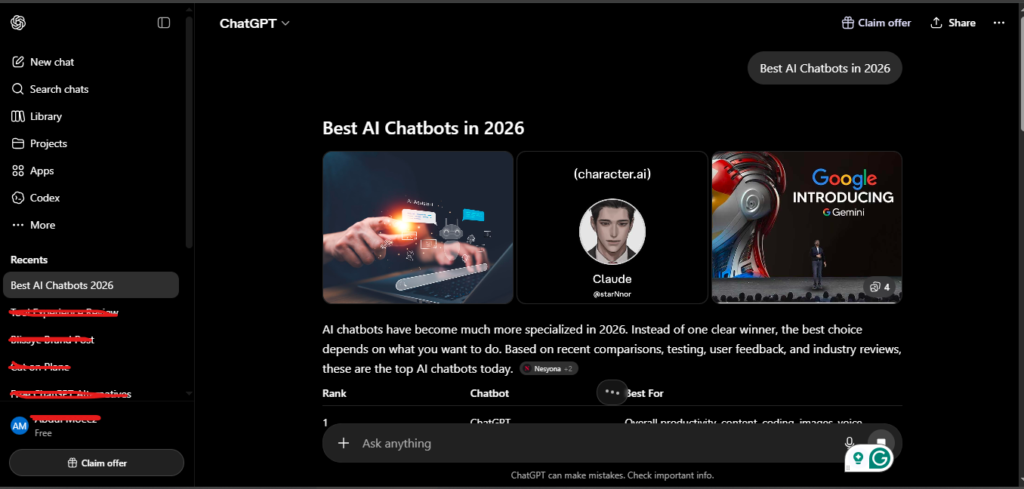
What stood out to me is how forgiving ChatGPT is for general tasks. Even when my prompts were vague or poorly worded, it usually understood what I meant. For someone managing multiple projects, this consistency matters more than raw benchmark scores.
My Personal Rating 4.5/5
Pricing (2026)
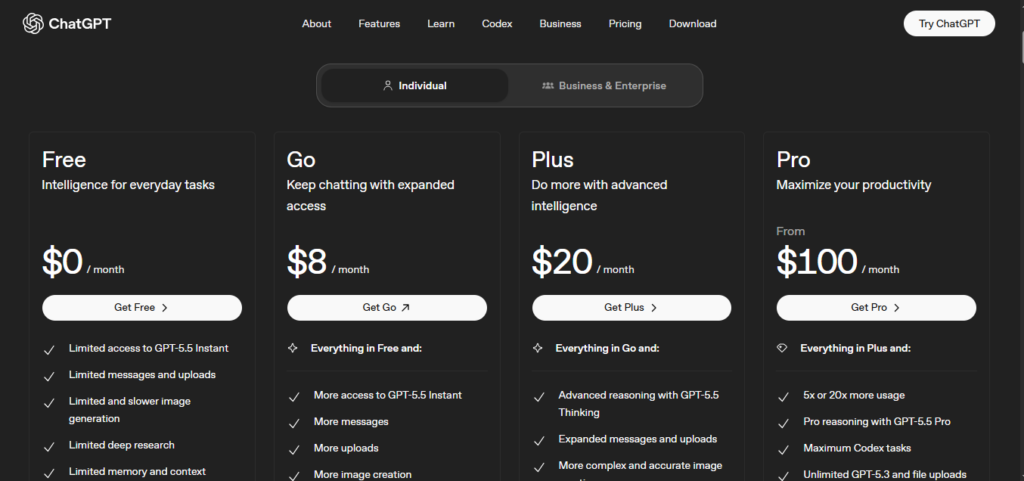
- ChatGPT Go: $8/month — budget-friendly tier with decent limits
- ChatGPT Plus: $20/month — ~150 messages every 3 hours on GPT-5.2, plus DALL-E, Sora video, custom GPTs
- ChatGPT Pro: $100-200/month — for power users needing maximum usage
Pros
- Most versatile tool for general-purpose tasks
- Strong ecosystem: custom GPTs, image generation, voice mode
- Forgiving with vague or unclear prompts
- Active plugin and integration ecosystem
Cons
- Doesn’t cite sources as reliably as Perplexity for research
- Free tier has tighter limits compared to some competitors
- Can occasionally produce overly confident but incorrect answers without flagging uncertainty.
Best For
Content creators, students, general productivity, and anyone who wants one tool that handles almost everything reasonably well.
2. Claude — Best AI Chatbot for Writing and Coding
Claude (running on Opus 4.6 and Sonnet 4.6 during my testing) quickly became my go-to for anything involving long-form writing or code. I used it heavily for drafting articles, restructuring messy paragraphs, and getting detailed explanations of code I didn’t fully understand.
My Experience
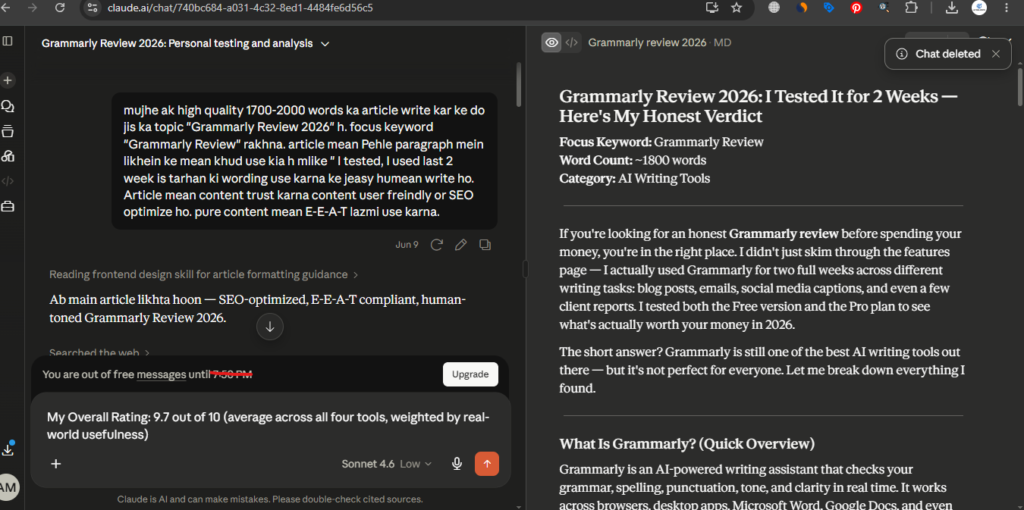
The first thing I noticed with Claude was how structured its responses felt, even on complex topics, it organizes information in a way that’s easy to follow without me needing to ask follow-up questions. Specifically for writing tasks, Claude’s output consistently required less editing afterward than the other tools I tested.
I also tested Claude’s Project feature, which lets you keep reference materials and style guides persistent across conversations. For ongoing work — like maintaining a consistent tone across multiple articles — this was genuinely useful and saved me from re-explaining context every time.
For coding, Claude handled debugging and code explanations clearly, and its large context window meant I could paste in entire files without losing track of earlier context.
My Personal Rating 4.5/5
Pricing (2026)
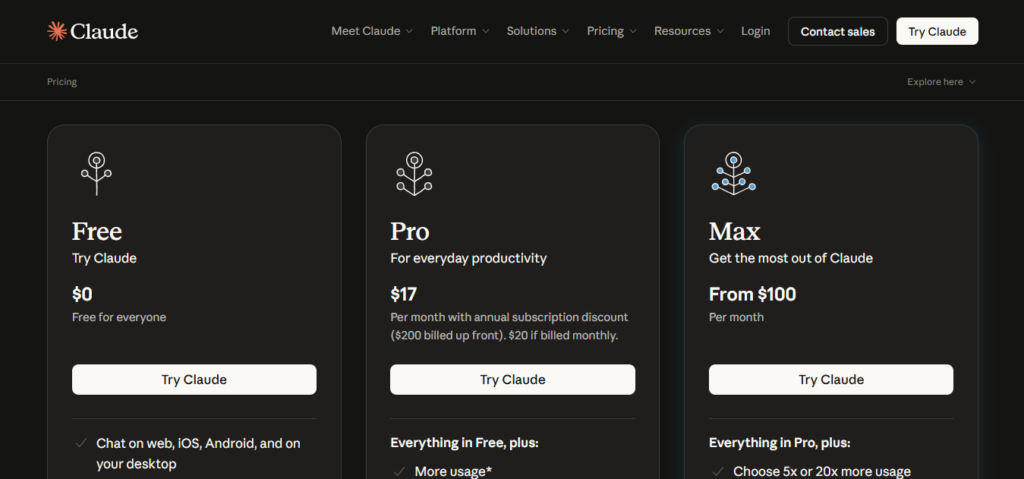
- Free plan: Available with usage limits
- Claude Pro: $17/month — around 225 messages every 5 hours on Sonnet 4.6, includes Claude Code CLI access
- Claude Max: $100-200/month — for heavy daily users, includes a 500k context window (1M in beta)
Pros
- Best-in-class for long-form writing — needs less editing afterward
- Strong coding performance, especially for debugging and explanations
- Large context window handles big documents and files well
- Projects feature keeps style and reference materials consistent
Cons
- No native image generation
- Smaller plugin/integration ecosystem compared to ChatGPT
- Free tier usage limits can feel restrictive for daily heavy use
Best For
Writers, Bloggers, Developers, and anyone who needs polished, well-structured long-form content or detailed code assistance.
3. Gemini — Best AI Chatbot for Google Workspace Users
If your work already lives inside Gmail, Google Docs, and Google Sheets, Gemini is hard to beat-and that became obvious within the first week of testing. Gemini 3 Pro topped major AI benchmark leaderboards at launch in early 2026, and its 1-million-token context window is the largest among mainstream chatbots.
My Experience
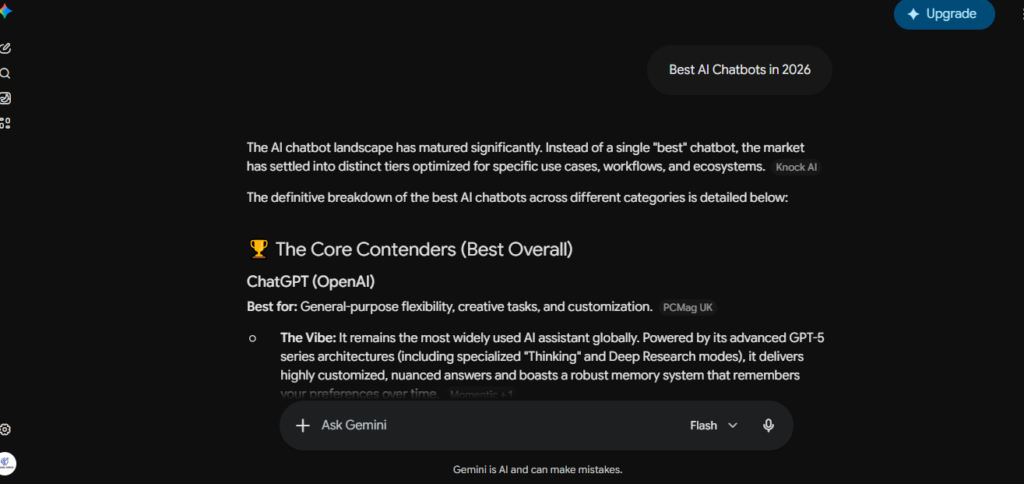
I tested Gemini specifically for tasks involving Google Docs-Summarizing long documents, drafting email replies directly in Gmail, and analyzing spreadsheets in Sheets. The integration is seamless in a way that the other tools simply can’t match, because it’s built directly into the apps I was already using.
The massive context window was also noticeable when I fed it very long documents — it handled them without losing earlier details, which was something even Claude occasionally struggled with on extremely long inputs.
My Personal Rating 4.5/5
Pricing (2026)
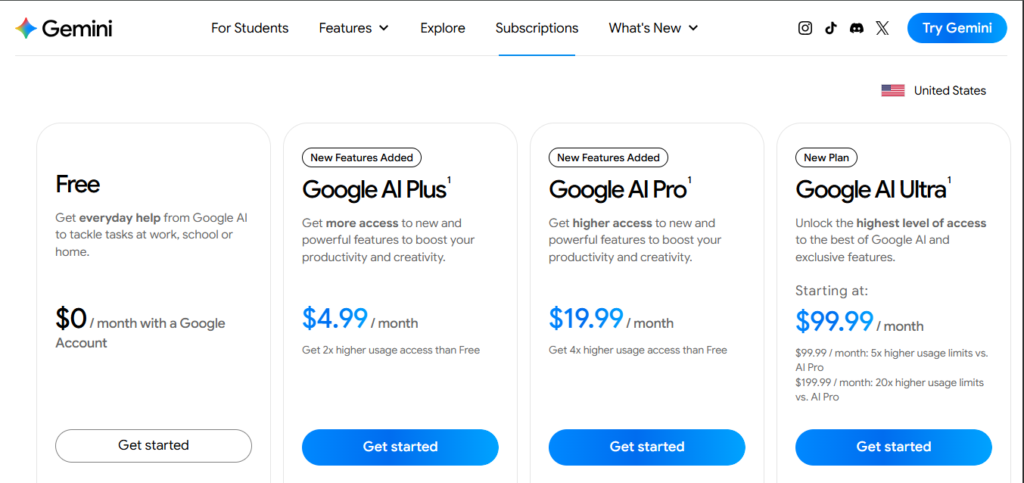
- Free plan: Available with basic Gemini access
- Google AI Pro: $19.99/month — includes 2TB storage, Gemini 3 Pro access, and deep Gmail/Docs/Sheets integration
- Google AI Ultra: Higher tier for maximum usage and advanced features
Pros
- Largest context window (1M tokens) among major chatbots
- Deep, seamless integration with Gmail, Docs, Sheets, and Drive
- Comes bundled with 2TB of storage on the Pro plan
- Topped LMArena leaderboard at launch — strong raw model quality
Cons
- Less useful if you don’t use Google Workspace regularly
- Writing style can feel less polished than Claude for creative content
- Some advanced features are tied to specific Google apps
Best For
Anyone whose daily workflow runs through Gmail, Google Docs, or Sheets-students, professionals, and teams in the Google ecosystem.
4. Perplexity — Best AI Chatbot for Research with Sources
Perplexity earned its place in my daily rotation specifically for research tasks. Unlike the other chatbots, Perplexity’s core design is built around citing sources — every answer comes with linked references you can click through and verify.
My Experience
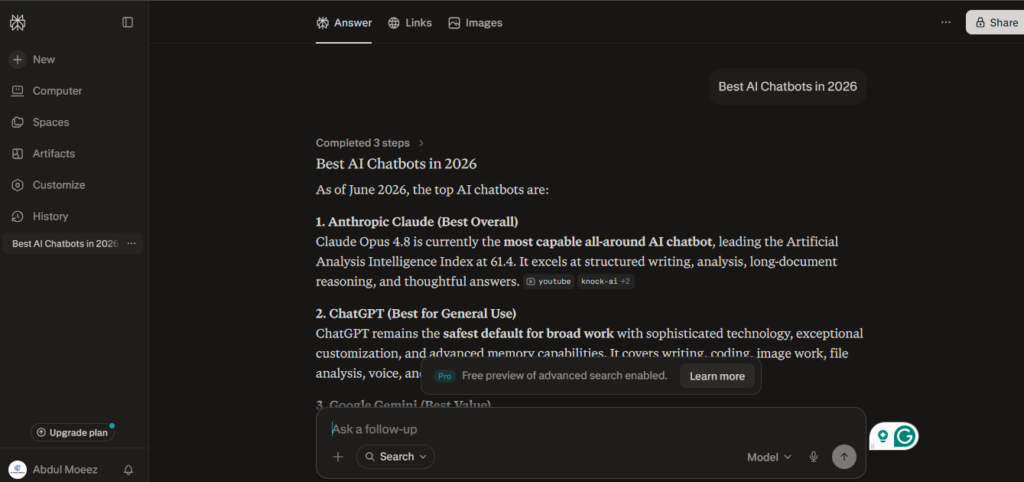
During my testing, I used Perplexity whenever I needed to fact-check something or research a topic where I wanted to see where the information came from. This was especially useful for SEO content research — I could quickly verify claims and find primary sources without doing five separate Google searches.
One standout feature is that Perplexity routes queries across multiple frontier models — including GPT-5.2, Claude Sonnet 4.5, and Gemini 3 Pro — rather than locking you into a single provider. In practice, this meant I sometimes got noticeably different answer styles depending on which model handled my query, which took a bit of getting used to but generally improved overall quality.
I also tested Deep Research, Perplexity’s in-depth research mode. It produced genuinely thorough reports, though the number of Deep Research runs available per month is limited even on the Pro plan — something to keep in mind if you rely on it heavily.
My Personal Rating 4.5/5
Pricing (2026)
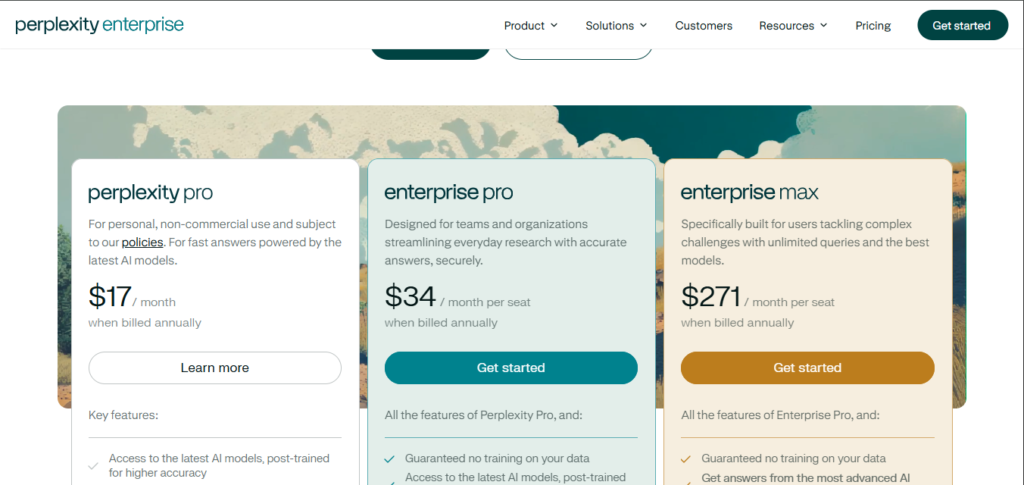
- Free plan: Available with limited daily queries
- Perplexity Pro: $20/month — multi-model access, Deep Research (capped at 20/month)
- Perplexity Max: $200/month — advertised as unlimited queries across all features
- Education Pro: $4.99/month with student verification
Pros
- Source citations on every answer — easy to verify information
- Routes across multiple frontier models in one subscription
- Deep Research mode produces thorough, well-organized reports
- Affordable student plan available
Cons
- Deep Research runs are capped even on the Pro plan
- Less suited for creative writing compared to Claude or ChatGPT
- Interface can feel less conversational for casual chat
Best For
Research, students, content creators, marketers, and anyone who needs to verify information with clear sources.
Which AI Chatbot Should You Choose?
After three months of daily, side-by-side use, here’s my honest breakdown by use case:
- For general everyday use: ChatGPT — it’s the most forgiving and versatile across almost any task
- For writing and coding: Claude — consistently the cleanest output with the least editing needed
- For Google Workspace users: Gemini — the integration and context window are unmatched if you live in Docs and Gmail
- For research with sources: Perplexity — nothing else cites sources this clearly
The Power-User Approach
If budget allows, many professionals (myself included, during parts of this testing) run multiple subscriptions together. A common combination is ChatGPT Plus + Claude Pro + Perplexity Pro at roughly $60/month total — covering general tasks, high-quality writing/coding, and sourced research in one stack.
Final Verdict
There’s no single “best” AI chatbot in 2026 — and after three months of real use, I’m confident saying that’s not a cop-out answer. Each tool genuinely excels in a different area:
ChatGPT remains the safest all-round pick for most people. Claude is the one I personally reach for when writing quality matters most. Gemini is unbeatable if your life runs through Google apps. Perplexity is essential when you need to trust and verify information.
The good news: most of these tools offer solid free plans, so you can test them yourself before committing to a subscription — which is exactly how I’d recommend starting.
My Overall Rating: 9.7 out of 10 (average across all four tools, weighted by real-world usefulness)
Frequently Asked Questions
Which AI chatbot is best overall in 2026?
ChatGPT remains the most versatile all-round AI chatbot for general tasks, while Claude leads for writing and coding, and Gemini excels for Google Workspace integration.
Is there a free AI chatbot in 2026?
Yes. ChatGPT, Claude, Gemini, Perplexity, (via Bing) all offer free plans with usage limits. Most casual users can get meaningful value without paying anything.
How much does ChatGPT Plus cost in 2026?
ChatGPT Plus costs $20/month. A budget tier called ChatGPT Go is also available at $8/month with reduced limits.
Which AI chatbot is best for research?
Perplexity is the strongest choice for research, as it cites sources on every answer and offers a Deep Research mode for in-depth reports.
Is Claude better than ChatGPT for writing?
Based on hands-on testing, Claude consistently produces more structured, polished writing that requires less editing afterward, making it a strong choice for long-form content and articles.
Do I need multiple AI chatbot subscriptions?
Not necessarily. A single $20/month subscription (ChatGPT, Claude, Gemini, or Perplexity) covers most needs. Power users who rely on AI daily for different purposes may benefit from combining 2-3 subscriptions.
AI Tool Spots is a technology-focused platform dedicated to sharing the latest updates in Artificial Intelligence, software tools, automation, SEO, and digital innovation. We publish informative guides, honest reviews, tech tutorials, and valuable resources to help bloggers, entrepreneurs, marketers, and tech enthusiasts stay ahead in the digital world. Learn more at aitoolspots.com.