Writing this ChatGPT Review feels different from most of my other reviews, because this is the one AI tool I’ve longer and more consistently than any other. I tested and used ChatGPT for the last 20 moths, starting back when GPT-4o was still the default model, through the entire GPT-5 rollout, all the way to today’s GPT-5.5. Over that time I’ve used it for blog writing, client research, coding help, data analysis, and honestly, just as a daily thinking partner. This review is built entirely on that experience, not a feature list copied from Open AI’s pricing page.
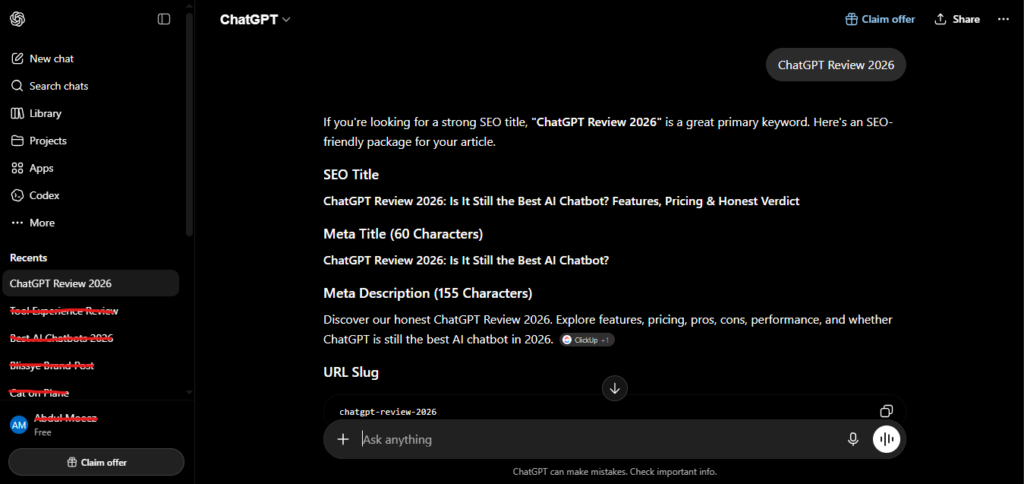
The short version: ChatGPT remains the most versatile AI assistant available in 2026, and after 20 months I still open it more than any other tool. But it’s not perfect, the pricing structure has gotten genuinely confusing, and there are specific limitation you should know before you subscribe. Let me walk you through everything.
What Is ChatGPT? (Quick Overview)
ChatGPT is OpenAI’s conversational AI assistant, first launched in November 2022. What started as a simple chatbot has evolved into a full productivity platform that can write, code, analyze data, generate images, browse the web in real time, and even operate autonomous multi-step tasks through Agent Mode.
The current flagship model is GPT-5.5, which became the default model for all paid users in 2026, replacing the earlier GPT-5.3 line. Free users still run on GPT-5.3 Instant with tighter limits. As of 2026, ChatGPT has grown to over 800 million weekly active users, making it by a wide margin the most widely used AI assistant in the world.
My Personal Experience: 20 Months of Daily Use
I want to be specific here, because this is the section that actually matters more than any feature list.
I started using ChatGPT seriously about 20 months ago for a straightforward reason: I was spending too much time on repetitive content and research tasks and needed something faster than manually researching everything myself. The first few months were mostly content brainstorming and email drafting — low-stakes tasks where I was still figuring out how much I could actually trust it.
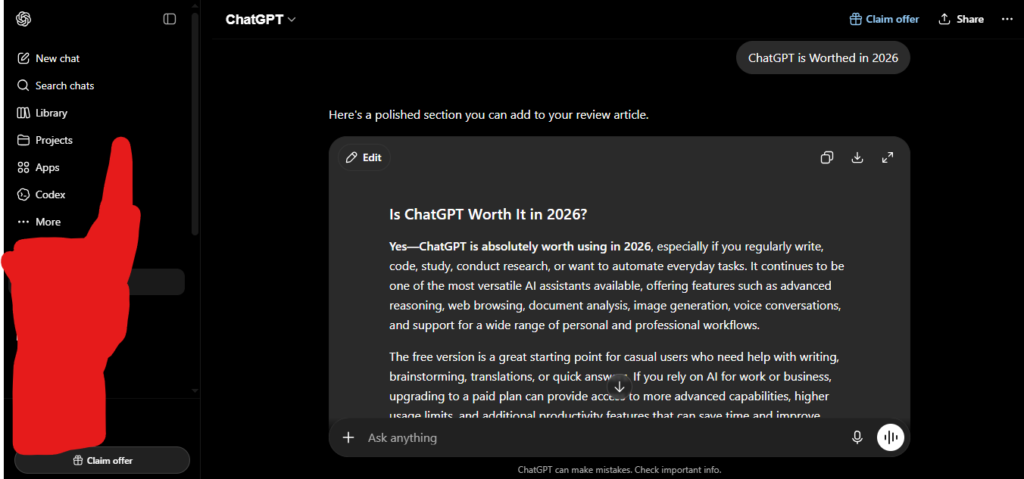
By month four or five, I started leaning on it for real client work — structuring SEO articles, drafting outreach emails, and summarizing long documents. This is when I noticed the first thing that stuck with me: ChatGPT is genuinely forgiving with vague prompts. Even when I typed something half-formed at the end of a long day, it usually understood what I actually meant. That consistency is a big part of why it became my default tool over more specialized alternatives.
Around the one-year mark, GPT-5 rolled out, and the jump in reasoning quality was noticeable almost immediately — particularly on tasks involving multi-step logic, like structuring a full competitive analysis from raw notes. I also started using Deep Research around this time, feeding it a research question and letting it browse and synthesize sources on its own. The output quality genuinely impressed me the first time I tried it — it read more like a research assistant’s report than a chatbot response.
Over the following months, I tested Canvas for editing long-form drafts side-by-side, Advanced Voice Mode for hands-free brainstorming during walks, and the image generation tools for quick blog thumbnails and social graphics. Each of these became a regular part of my workflow, not a novelty I tried once and abandoned.
The most recent stretch of testing — the last two to three months on GPT-5.5 — is where I noticed the clearest improvement in factual reliability. Research-heavy drafts needed noticeably less fact-checking afterward compared to a year ago, though I still verify anything statistic-heavy before publishing it anywhere.
If I’m honest about the low points: I’ve had ChatGPT confidently give me an incorrect statistic that I almost used in a client report before catching it during a routine fact-check. I’ve also hit message caps on Plus during a busy work week and felt genuinely frustrated waiting for the limit to reset. Twenty months in, my relationship with ChatGPT is not uncritical — it’s a tool I trust for speed and structure, but not one I trust blindly for facts.
Key Features of ChatGPT in 2026
1. GPT-5.5 Reasoning
The current flagship model handles complex, multi-step reasoning noticeably better than the GPT-4 generation I started with 20 months ago. For tasks like structuring a research report from scattered notes or debugging multi-file code logic, the reasoning (“Thinking”) mode consistently produces more coherent, better-organized output than earlier models.
2. Deep Research
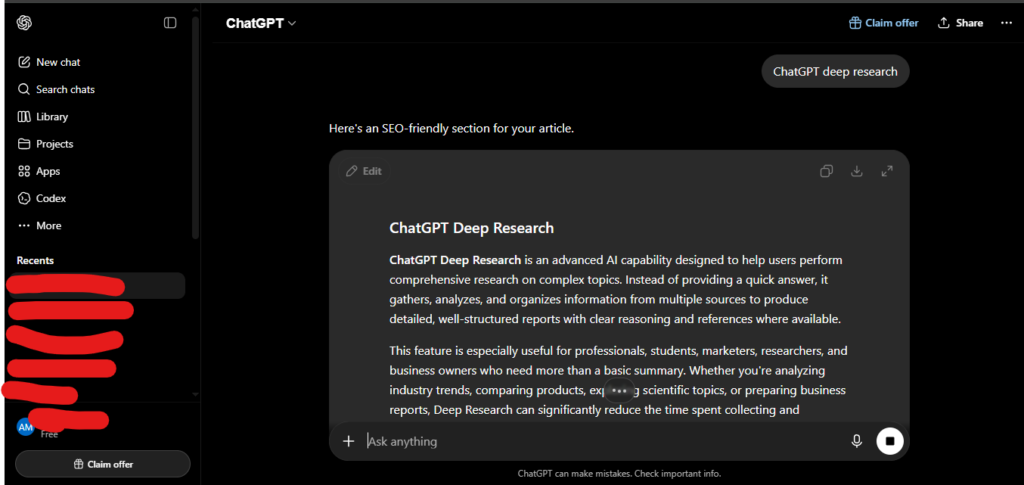
Deep Research is ChatGPT’s autonomous research mode — you give it a question, and it browses the web, reads multiple sources, and returns a structured, cited report. Plus users get 10 sessions per month, which is enough for two or three thorough research reports a week if used deliberately. I use this most for competitive analysis and market research tasks that would otherwise take hours of manual searching.
3. Canvas
Canvas is a side-by-side editing interface for long documents and code. Instead of regenerating an entire response for one small change, you can highlight a specific section and ask ChatGPT to revise just that part. For long-form article editing, this alone saves meaningful time compared to the old chat-only interface.
4. Advanced Voice Mode
This turns ChatGPT into a natural spoken conversation partner — it handles interruptions, follows complex multi-turn discussions, and adjusts tone based on context. I use it most for brainstorming while doing something else, like a walk or a commute, when typing isn’t practical.
5. Image Generation (ChatGPT Images)
Native image generation is built directly into the chat interface, capable of producing blog thumbnails, social graphics, and product mockups, including legible text within images and multilingual support. For quick visual assets without opening a separate design tool, this has become a genuinely useful part of my workflow.
6. Agent Mode and Codex
Agent Mode lets ChatGPT complete multi-step tasks with less manual back-and-forth — browsing, filling forms, and chaining actions together. Codex, its coding-focused agent, handles structured coding tasks across 15+ languages. I’ve used Codex for smaller scripting tasks; for larger, multi-file development projects, dedicated coding tools still outperform it in my experience.
7. Memory
ChatGPT now retains context about you across conversations — your preferences, ongoing projects, and communication style — rather than starting from zero every session. After 20 months, this is one of the quieter but most genuinely useful upgrades; I no longer have to re-explain recurring context every time I open a new chat.
ChatGPT Pricing in 2026
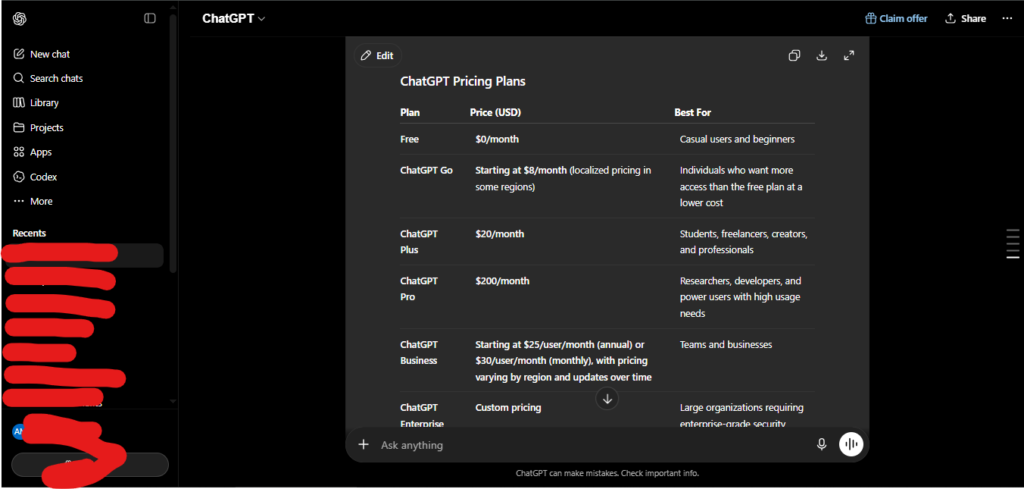
This is the section where I’ll be most direct with you, because ChatGPT’s pricing structure has become genuinely more complex than it needs to be. Here’s the current breakdown:
| Plan | Price | What You Get |
| Free | $0/month | GPT-5.3 Instant, ~10 messages/5 hours, limited image generation, ads in the US |
| Go | $8/month | More message volume than Free, still ad-supported, no advanced reasoning or Deep Research |
| Plus | $20/month | Full GPT-5.5 access, Deep Research (10/month), Canvas, Advanced Voice, Sora, Agent Mode, Codex |
| Pro ($100 tier) | $100/month | 5x Plus usage limits, 50 Deep Research sessions/month, higher-tier reasoning access |
| Pro ($200 tier) | $200/month | 20x Plus limits, 250 Deep Research sessions/month, ~1M token context window, priority Sora access |
| Business | $20-25/user/month | Team admin controls, SOC 2 compliance, data excluded from training, 60+ integrations |
| Enterprise | Custom | SSO, SCIM provisioning, dedicated support, negotiated volume pricing |
My honest take on pricing after 20 months: Plus at $20/month is the right starting point for almost everyone doing real work with ChatGPT. The free tier’s 10-messages-per-5-hours cap is restrictive enough that you’ll hit it within your first real work session, and the Go plan at $8/month is a strange middle option — you still get ads and still miss every advanced feature that actually justifies paying for ChatGPT in the first place.
The two-tier Pro structure genuinely confused me when it first launched. My advice: only consider Pro if you’re consistently hitting Plus’s Deep Research or message limits during real work — not because a higher number sounds better. Most individual users, myself included for most of this 20-month period, never need to go past Plus.
Who Should Use ChatGPT?
Based on 20 months of daily, hands-on use, here’s my honest breakdown:
Great for:
- Content creators and bloggers who need a fast, forgiving writing and research partner for daily output
- Knowledge workers drafting emails, structuring documents, and needing a general-purpose thinking partner throughout the workday
- Students using Deep Research and Canvas for structured research and editing support
- Developers who want quick coding help alongside general-purpose tasks, though dedicated tools handle complex multi-file projects better
- Small business owners who need one flexible tool covering writing, research, and basic image creation without multiple subscriptions
Less ideal for:
- Researchers needing guaranteed source citations on every claim — Perplexity is more consistently rigorous about sourcing
- Developers doing complex, multi-file coding work — dedicated agentic coding tools outperform ChatGPT’s Codex on large codebases
- Teams deep in the Google ecosystem — Gemini’s native Workspace integration is hard to beat if your work already lives in Gmail and Docs
- Anyone needing production-ready AI video — Sora is genuinely useful but still early-stage compared to dedicated video tools
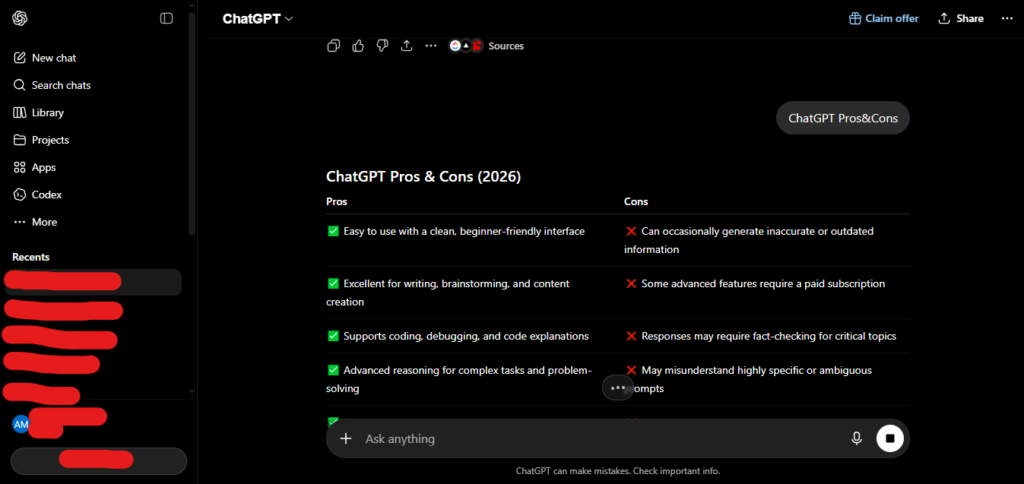
ChatGPT Pros and Cons
Pros
- Most versatile AI assistant available — handles writing, research, coding, and image generation in one place
- Forgiving with vague or poorly worded prompts, which matters more day-to-day than raw benchmark scores
- Deep Research and Canvas are genuinely time-saving for real research and editing work
- Memory across conversations removes the need to re-explain context every session
- Massive ecosystem — custom GPTs, plugins, and third-party integrations
- 800 million weekly active users means extensive community knowledge, tutorials, and troubleshooting resources
Cons
- Pricing structure has become genuinely confusing with seven overlapping tiers
- Free and Go plans now include ads in the US — a meaningful shift from ChatGPT’s original ad-free experience
- Occasional confident, incorrect factual claims — always requires verification on anything statistic-heavy
- Deep Research’s 10-session cap on Plus runs out quickly for daily research users
- Codex trails dedicated coding tools on complex, multi-file development work
- Message limits on Plus can still interrupt a busy workday during peak usage
ChatGPT vs Competitors
ChatGPT vs Claude: Claude consistently produces more polished, structured long-form writing that needs less editing. ChatGPT wins on raw versatility — image generation, voice mode, and a broader plugin ecosystem in one place.
ChatGPT vs Gemini: Gemini’s integration with Gmail, Docs, and Drive is unmatched if your work already lives in Google Workspace. ChatGPT has the stronger standalone experience and wider third-party integrations outside that ecosystem.
ChatGPT vs Perplexity: Perplexity is purpose-built for research with consistent source citations on every claim. ChatGPT is the better generalist — stronger for creative writing, complex reasoning, and everyday tasks beyond pure research.
Final Verdict: Is ChatGPT Worth It in 2026?
After 20 months of genuinely daily use, my honest answer is yes — ChatGPT remains the best starting point for anyone who wants one AI tool that handles the widest range of tasks well. The Plus plan at $20/month has stayed my personal choice through this entire testing period, and I haven’t found a compelling reason to move to Pro despite testing it.
Where I’d caution you: don’t treat ChatGPT as infallible. Twenty months of daily use has taught me exactly where its confidence outpaces its accuracy, and that gap is real enough that anything statistic-heavy or high-stakes still needs a human check before it goes out the door.
My Ratings (Out of 5)
| Category | Rating |
| Features & Capabilities | 4.8/5 |
| Ease of Use | 4.7/5 |
| Value for Money | 4.3/5 |
| Accuracy & Reliability | 4.2/5 |
| Overall Rating | 4.5/5 |
Frequently Asked Questions
Is ChatGPT free to use in 2026?
Yes. The free plan includes GPT-5.3 Instant with a limit of roughly 10 messages every 5 hours, along with limited image generation. Since early 2026, free (and Go) users in the US also see ads. It’s useful for casual use but restrictive for daily professional work.
How much does ChatGPT Plus cost in 2026?
ChatGPT Plus costs $20/month and includes full GPT-5.5 access, Deep Research, Canvas, Advanced Voice Mode, Sora video generation, Agent Mode, and Codex. For most regular users, this is the recommended starting tier.
Is ChatGPT Pro worth the higher price?
Only if you’re consistently hitting Plus’s usage or Deep Research limits during real work. The $100/month tier gives 5x Plus’s limits, while the $200/month tier gives 20x limits and a much larger context window. Most individual users don’t need either.
Is ChatGPT accurate?
GPT-5.5 is noticeably more reliable than earlier versions, but it still occasionally produces confident, incorrect statements — particularly on niche topics, recent events, or specific statistics. Any high-stakes factual output should be independently verified.
Is ChatGPT better than Claude?
It depends on the task. ChatGPT is more versatile overall, with stronger image generation, voice mode, and plugin ecosystem. Claude tends to produce more polished long-form writing with less editing required afterward.
How many messages can I send on ChatGPT Plus?
Plus users get significantly higher limits than Free, generally enough for a full workday of typical use, though very heavy users can still hit caps during high-demand periods. Pro tiers remove most of this friction entirely.
AI Tool Spots is a technology-focused platform dedicated to sharing the latest updates in Artificial Intelligence, software tools, automation, SEO, and digital innovation. We publish informative guides, honest reviews, tech tutorials, and valuable resources to help bloggers, entrepreneurs, marketers, and tech enthusiasts stay ahead in the digital world. Learn more at aitoolspots.com.