If you’re looking for the best and honest Grammarly review before spending your personal time, you have come to the right place. I didn’t just skim through the features page — I actually used Grammarly for two full weeks across different writing tasks: blog posts, emails, social media captions, personal work, office work and even a many client reports. I tested both the Free version and the Pro plan to see what’s actually worth your money in 2026.
In Short: Grammarly is still one of the best AI writing tools in my Experience — but it’s not perfect for everything. Let me break down everything I found.
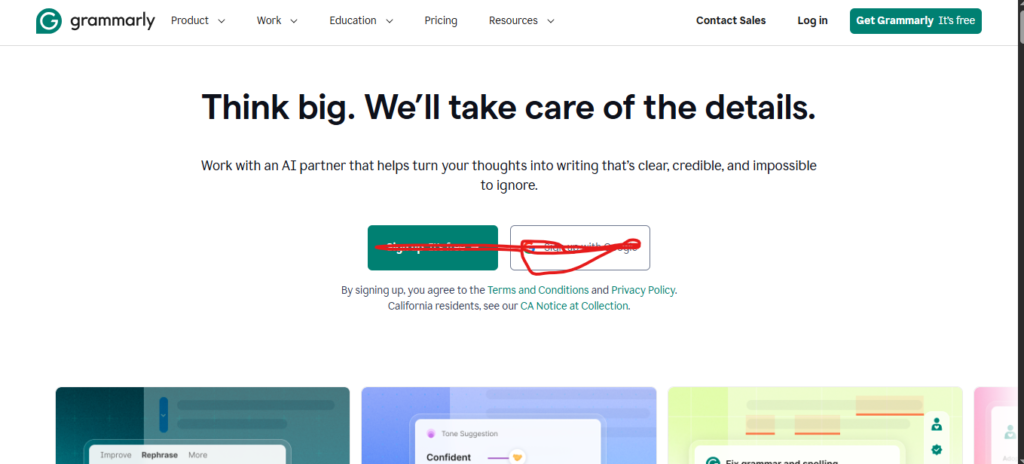
What Is Grammarly? (Quick Overview)
Grammarly is an AI-powered writing assistant that checks your grammar, spelling, punctuation, tone, and clarity in real time. It works across browsers, desktop apps, Microsoft Word, Google Docs, and even your mobile keyboard.
Originally launched as a simple grammar checker, Grammarly has grown into a full writing platform and AI writing tool. In 2026, it now includes Grammarly — its AI writing tool that can rewrite paragraphs, draft emails, adjust tone, and generate SEO optimized content from prompts.
It’s used by over 33 million daily active users and 65,000+ teams worldwide, which tells you it’s doing something right.
Last 2-Week My Personal Testing Experience
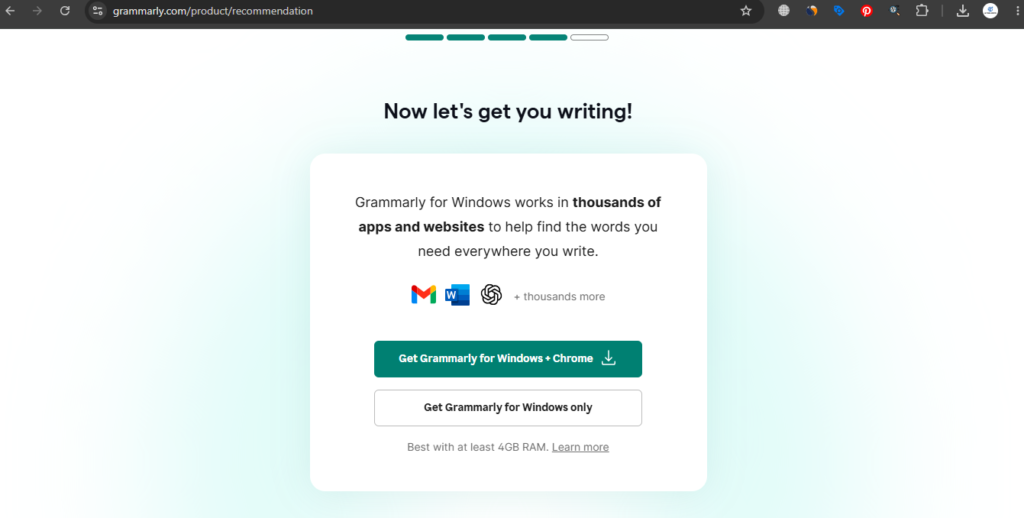
I started using Grammarly, my first impression it was simple: it just works easy. I installed the Chrome extension, and within minutes it was catching errors.
During my first week, I used it primarily for blog and article writing. I pasted my drafts into the Grammarly editor and let it scan. The color-coded suggestions were helpful:
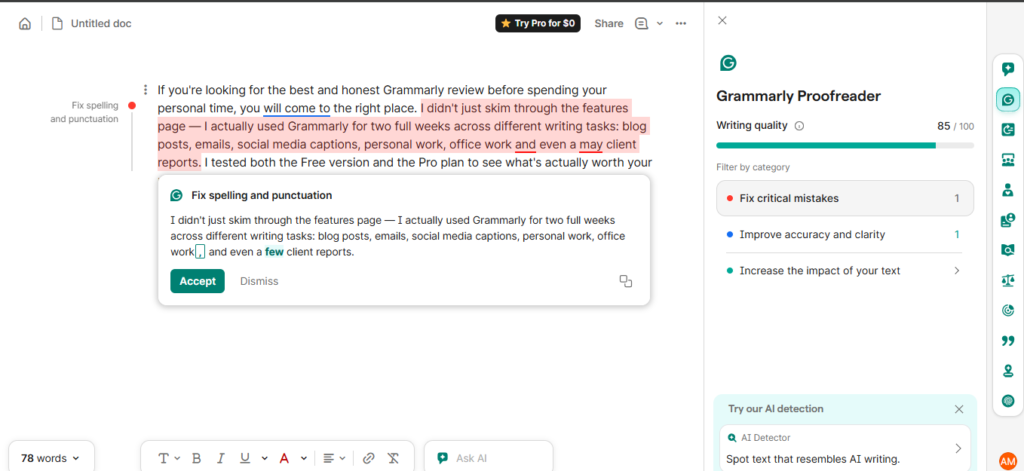
- Red flags grammar errors and spelling mistakes
- Blue highlights clarity and wordiness issues
- Green suggests better word choices
- Purple flags delivery and tone concerns
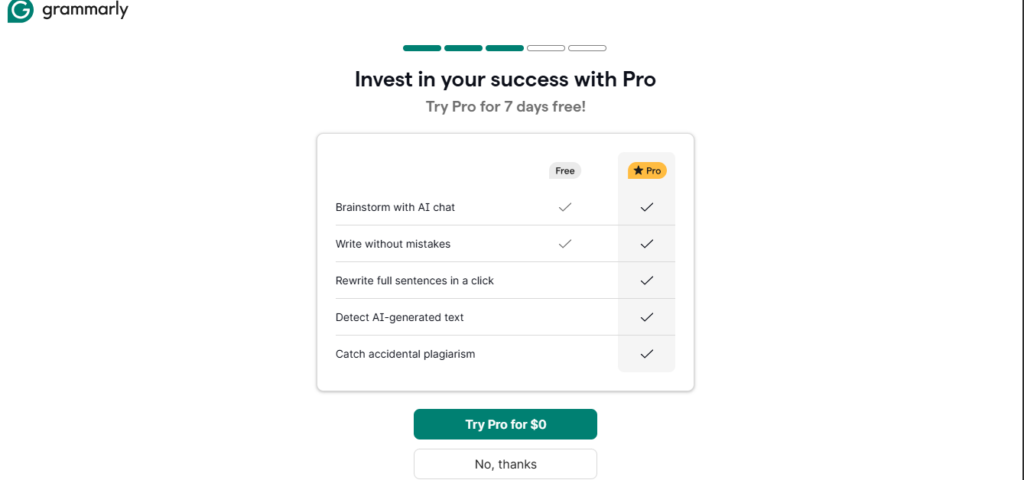
Grammarly 7 days Free Trial
In Week Two, I upgraded to pro to test the advanced features. The tone detector immediately stood out. When I drafted a slightly aggressive follow-up email, Grammarly flagged the tone and suggested softer alternatives before I embarrassed myself in front of a client.
One thing I noticed after about 16 days of consistent use: the suggestions started feeling more personalized. It stopped flagging phrases I use daily and began recognizing my writing style. That kind of adaptation is something you only notice after consistent use — and it’s genuinely impressive.
Grammarly Key Features in 2026
1. Grammar and Spelling Checker (Free)
This is the foundation, and it remains the most accurate in the industry. It catches errors in real time and explains why something is wrong — not just what to fix. This is especially useful if English isn’t your first language.
2. Tone Detection
Grammarly analyzes how your writing will come across to the reader — confident, friendly, formal, or passive-aggressive. You can set your intended tone and Grammarly will flag anything that doesn’t match. For professional communication, this feature alone is worth the install.
3. Clarity and Conciseness Suggestions
My personal favorites. Grammarly finds bloated sentences and suggests shorter, cleaner versions. I cut about 17% of my word count just by following its suggestions on a single blog post.
4. GrammarlyGO (AI Writing Assistant)
Previously known as GrammarlyGO, this AI feature lets you:
- Rewrite full paragraphs
- Adjust tone with a single click
- Draft emails and responses from scratch
- Brainstorm ideas within the editor
Free users get 150 AI prompts per month. Pro users get 2,500 prompts per month — a massive jump that makes a real difference for daily writers.
5. Plagiarism Detection (Pro)
The Pro plan includes plagiarism checking across billions of web pages. If you’re a student, academic writer, or content creator who repurposes content, this feature adds serious value. It’s not the most robust plagiarism tool on the market, but it’s reliable for most use cases.
6. Style Guides and Brand Tone (Pro)
Pro users can set custom style rules — specific words to use or avoid, preferred punctuation style, and brand voice guidelines. This is particularly useful for freelancers managing multiple clients with different tone requirements.
Grammarly Pricing in 2026
Grammarly recently restructured its pricing plans. The old “Premium” and “Business” tiers have been replaced with a cleaner lineup:
| Plan | Price | Best For |
| Free | $0/month | Basic grammar and spelling checks |
| Pro | $12/month (billed annually) | Professionals, bloggers, students |
| Pro (monthly) | $30/month | Occasional or short-term users |
| Enterprise | Custom pricing | Large teams and organizations |
My take on pricing: The annual Pro plan at $12/month is genuinely good value. The monthly plan at $30 is harder to justify unless you only need it short-term. If you’re writing regularly — even a few times a week — the annual plan pays for itself in time saved.
One important change: Grammarly Pro now includes features that were previously only in the Business plan, including team analytics and style guides for up to 149 seats. The old Business plan has been retired, replaced by the custom Enterprise tier for larger organizations.
Grammarly Pros and Cons
Pros
- Most accurate grammar and tone correction engine available in 2026
- Real-time suggestions across virtually every platform you write on
- Free plan is genuinely useful — not a bait-and-switch with locked basic features
- Grammarly AI rewrites are clean, professional, and contextually aware
- Learns your writing style over time and reduces false positives
- Explains corrections instead of just making them — great for learning
Cons
- Monthly billing ($30/month) is expensive compared to the annual plan
- Grammarly prompt limits can frustrate daily AI users
- Occasionally over-corrects casual or creative writing into stiff, corporate-sounding text
- SEO features are minimal — no keyword research or content optimization scoring
- Can flag correct sentences as errors in highly technical or creative writing
Grammarly Best Alternatives
QuillBot vs Grammarly: Quillbot focuses more paraphrasing and rewriting, while Grammarly is built around real-time writing correction. For editing and polishing existing content, Grammarly wins. For rephrasing or summarizing content quickly, QuillBot has an edge.
ProWritingAid vs Grammarly: ProWritingAid offers deeper long-form writing reports and is popular with novelists and academic writers. Grammarly is faster, works everywhere, and is better for short-form professional writing.
Jasper AI vs Grammarly: These tools serve completely different purposes. Grammarly edits and improves your writing. Jasper generates content from scratch. Many professionals use both together — Jasper to draft, Grammarly to polish.
Final Verdict: Is Grammarly Worth It in 2026?
After 2 weeks of daily use across real writing tasks-blog articles, emails, client documents, personal work, office task and social posts — here’s my honest conclusion:
Yes, Grammarly is Worth it in 2026 – With One Condition.
If you write regularly and care about how your communication comes across, the Pro plan at $12/month on annual billing is excellent value. The tone detection, clarity suggestions, Grammarly rewrites, and plagiarism checker together make it a genuinely useful all-in-one writing tool.
However, if you write infrequently or only need basic grammar checks, the free plan is strong enough. Don’t feel pressured to upgrade unless you’re hitting the limitations daily.
And if you’re a heavy AI content generator looking to produce long-form blog posts entirely through AI — Grammarly isn’t that tool. Combine it with a dedicated AI writing tool, and you’ll have a powerful content workflow.
My Good Rating: 4.5/5
Frequently Asked Questions
Is Grammarly free to use?
Yes. Grammarly has a solid free plan that includes basic grammar, spelling, punctuation, tone detection, and 100 AI prompts per month. Most users will find it useful immediately without paying anything.
What is GrammarlyGO?
GrammarlyGO is Grammarly’s built-in AI writing assistant. It can rewrite paragraphs, adjust tone, draft content, and respond to writing prompts. Free users get 100 prompts per month; Pro users get 2,000.
How much does Grammarly cost in 2026?
The Pro plan costs $12/month on an annual subscription ($144 billed upfront) or $30/month on a month-to-month basis. There’s also a free plan and a custom Enterprise tier.
Does Grammarly work with Google Docs?
Yes. Grammarly integrates directly with Google Docs, Microsoft Word, Gmail, Slack, and most major browsers through its extension.
Can Grammarly detect AI-generated content?
Grammarly Pro includes an AI text detection feature, though it’s best used as a guide rather than a definitive judgment. Detection accuracy varies depending on how the content was generated and edited.
Is Grammarly good for non-native English speakers?
Absolutely. Grammarly explains why each correction is made, which helps non-native speakers understand grammar patterns and improve over time — not just accept corrections blindly.

AI Tool Spots is a technology-focused platform dedicated to sharing the latest updates in Artificial Intelligence, software tools, automation, SEO, and digital innovation. We publish informative guides, honest reviews, tech tutorials, and valuable resources to help bloggers, entrepreneurs, marketers, and tech enthusiasts stay ahead in the digital world. Learn more at aitoolspots.com.