
I’ve been freelancing for a while now, managing content projects, client communication, proposals, social media, and everything in between. About a year ago, I started using ChatGPT prompts to handle the parts of freelancing that eat your time without making you money: cold emails, project proposals, scope-creep conversations, invoice follow-ups, and content planning. After a full year of daily use, testing, tweaking, and refining, I’ve built a personal library of prompts that genuinely work.
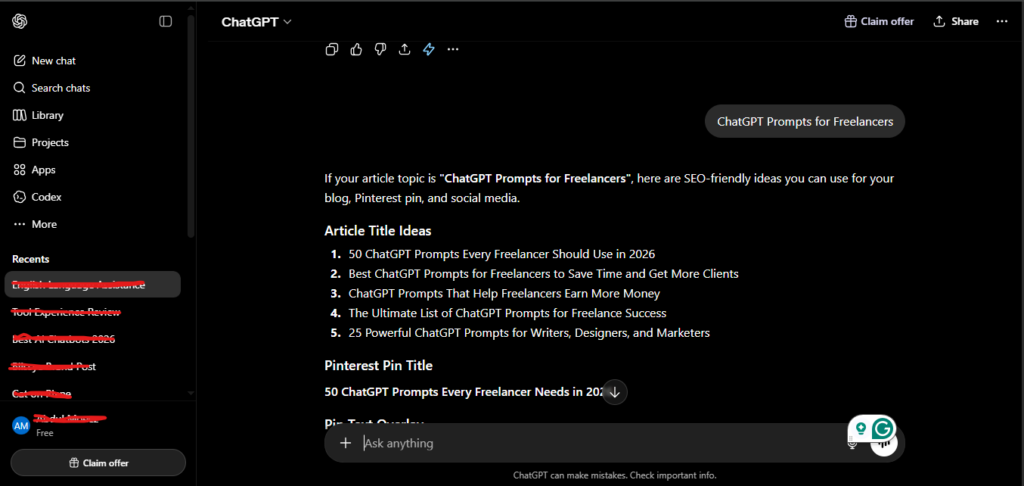
This isn’t a theoretical list. Every prompt in this article is one I’ve personally used, modified, and verified against real freelance situations over the last 12 months. Some I use multiple times a week. I’ll also share the prompting principles that separate mediocre AI output from responses that actually sound professional.
If you’re a freelancer, writer, designer, developer, marketer, video editor, or anything else, this guide will save you hours every single week.
Why Most Freelancers Get Bad Results from ChatGPT
Before the prompts, this context matters — and it took me a few months to fully understand it.
ChatGPT is not a magic box you vaguely describe a problem to and receive a perfect answer from. It’s more like a highly capable assistant who does exactly what you tell them. Vague instructions produce vague results. But when you give it the right context, role, and format instructions, the output quality jumps dramatically.
After a year of testing, here are the three principles I apply to every single prompt:
1. Give ChatGPT a role first. Starting with “Act as a senior freelance consultant” or “You are an experienced copywriter who specializes in client communication” immediately shifts the quality of the response. The model calibrates its output to that expertise level.
2. Add context before the ask. Three sentences of context, your niche, your client’s industry, the tone you want, can double the quality of what you get back. Never skip this.
3. Use follow-up prompts, not starting over. If the first output isn’t right, don’t open a new chat. Stay in the thread and tell ChatGPT what to fix: “This sounds too formal, make it warmer” or “The second paragraph is too long, tighten it.” Iterative refinement produces far better results than starting fresh.
Now — the prompts.
Category 1: Finding Clients and Cold Outreach
The hardest part of freelancing isn’t the work. It’s getting the work. These are the prompts I’ve used most consistently for finding and approaching new clients.
Prompt 1 — Build Your Ideal Client Profile
Use this before pitching anyone.
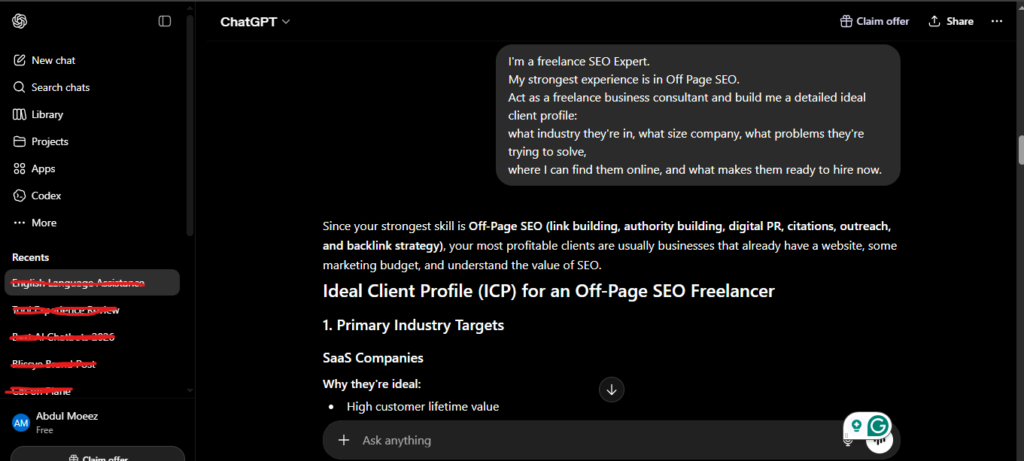
I’m a freelance [your skill — e.g., content writer, graphic designer, web developer].
My strongest experience is in [your niche/industry].
My best past clients were [describe 1-2 examples if you have them].
Act as a freelance business consultant and build me a detailed ideal client profile:
what industry they’re in, what size company, what problems they’re trying to solve,
where I can find them online, and what makes them ready to hire now.
This prompt gave me a profile so specific that I stopped wasting time pitching the wrong clients entirely.
Prompt 2 — Cold Outreach Email (Under 150 Words)
Use this when approaching a potential client for the first time.
Act as a marketing copywriter. Write a warm, personalized cold email to a potential
client in [industry] who runs a [type of business].
I’m a freelance [your skill] and I want to highlight how I can solve [specific
problem they likely face]. Keep it under 150 words, use a friendly and direct tone,
avoid buzzwords, and end with a low-pressure call to action asking for a 15-minute call.
The key here is specificity. The more details you give about the client’s industry and problem, the less generic the output. I’ve sent emails generated with this prompt and had reply rates noticeably better than my old handwritten cold emails.
Prompt 3 — LinkedIn Outreach Message
Use this for connecting with potential clients or collaborators on LinkedIn.
Create a short LinkedIn connection message (under 300 characters) introducing my
freelance services in [specialty]. Don’t make it salesy — make it sound like a
genuine professional reaching out. Mention one specific thing about their work
that makes me want to connect.
Category 2: Proposals and Project Scoping
Writing proposals used to take me 45-60 minutes per client. With the right ChatGPT prompts, I now draft a complete first proposal in under 10 minutes and spend the remaining time reviewing and personalizing.
Prompt 4 — Full Project Proposal
Use this when a client shares a project brief with you.
Based on this project description: “[paste the client’s brief here]”
Write a professional proposal for a freelance [your skill] applying for this project.
The proposal should include:
– A short intro that shows I understand their goal
– My proposed approach and process
– Timeline broken into phases
– Deliverables list
– A note on what I’ll need from the client to get started
Keep it client-focused, confident but not arrogant, and under 400 words.
Do not include pricing — I’ll add that separately.
Prompt 5 — Project Scope Document
Use this after the client agrees to hire you — before work starts.
Act as a freelance project manager. Based on this project we’ve agreed on:
“[describe the project in 3-4 sentences]”
Write a simple scope of work document that defines:
– What is included in this project
– What is NOT included (out of scope)
– Number of revision rounds included
– Timeline and key milestones
– What the client needs to provide before I can start
Make it professional but easy to read. This will be shared directly with the client.
I started using this prompt after getting burned by scope creep twice in the same month. This document alone has saved several client relationships by setting clear expectations upfront.
Category 3: Client Communication and Difficult Conversations
This is where ChatGPT prompts saved me the most time and stress over the past year. Difficult client emails used to drain my energy disproportionately. Now I draft them in 2 minutes and review once.
Prompt 6 — Scope Creep Response
Use this when a client asks for extra work beyond the original agreement.
Write a response to a client who has asked me to add extra work that goes beyond
the original project scope.
The original project was: [describe original scope]
The new request is: [describe what they’re asking for]
I want to be diplomatic and keep the relationship positive, but I also need to let
them know this will require additional payment. Suggest two options:
(1) add it as a paid add-on, or (2) push the new request to a future project.
Keep it professional, warm, and under 200 words.
Prompt 7 — Invoice Follow-Up (Overdue Payment)
Use this when a client hasn’t paid on time.
Write a polite but firm follow-up email for an overdue invoice.
Invoice amount: [amount]
Original due date: [date]
Days overdue: [number]
This is my [first / second / final] follow-up.
Keep the tone professional and friendly for a first follow-up. If this is the second
or third, make it firmer but still respectful. Include a clear call to action
(pay now or confirm a payment date) and provide the invoice number.
Prompt 8 — Project Delay Notification
Use this when you need to push back a deadline and need to communicate it professionally.
Write an email to a client letting them know I need to extend the project deadline
by [number of days].
The reason is: [brief honest reason]
The new deadline I’m proposing is: [new date]
Keep it short, take accountability without over-apologizing, and reassure them
that quality won’t be compromised. Under 150 words.
Category 4: Content Planning and Social Media
Freelancers who also manage their own personal brand or client social media will get real value from these.
Prompt 9 — Monthly Content Calendar
Use this at the start of each month.
Act as a content strategist. Create a 4-week content calendar for a freelance
[your niche] who posts on [LinkedIn / Instagram / Twitter].
My audience is: [describe your audience — e.g., small business owners, startup founders]
My goal is: [get clients / build authority / grow my following]
Topics I can speak to confidently: [list 3-5 topic areas]
Give me 12 post ideas total (3 per week), and for each include:
– Post angle (personal story / quick tip / opinion / case study)
– A one-sentence hook to open the post
– The main point to make in the body
Prompt 10 — Content Idea Generation
Use this when you’re stuck and need fresh ideas fast.
Give me 10 content ideas for a freelance [your niche] who posts on [platform].
My audience is [describe audience]. The content should be practical and relatable,
not generic. Mix in some personal story angles, some quick-tip angles, and some
opinion-based angles. For each idea, write one sentence explaining the hook.
Category 5: Pricing, Business Growth, and Self-Management
These are the prompts I use least frequently but get the highest impact from — because they help me think through the bigger picture of running a freelance business.
Prompt 11 — Set or Raise Your Rates
Use this when you’re unsure how to price your services or want to raise rates with an existing client.
Act as a freelance business advisor. Help me figure out the right rate for my services.
My skill: [describe what you do]
My experience level: [beginner / intermediate / experienced / expert]
My location and typical client location: [your country, clients’ country]
My current rate: [current rate if applicable]
Suggest a rate range based on current market standards in 2026, explain how to
position and justify it, and give me a short script I can use to raise my rate
with an existing long-term client without damaging the relationship.
Prompt 12 — End-of-Month Business Review
Use this on the last day of every month.
Help me run an end-of-month review of my freelance business.
Ask me 8 questions that cover: income vs. goals, client quality, service pricing,
time management, tasks that drained my energy, and what I want to change next month.
Ask me one question at a time, wait for my answer, and then move to the next.
After all 8 answers, summarize my situation honestly and suggest 3 concrete
changes for next month. Be practical, not motivational.
This one changed how I run my Business. Instead of blindly moving from month to month, I now have a structured review that catches problems early.
Prompt 13 — Write a Case Study from a Completed Project
Use this to build your portfolio and attract new clients.
Write a case study based on a freelance project I completed.
Client type: [describe without naming the client if needed]
Their problem before working with me: [describe the challenge]
What I did: [describe your approach and process]
The outcome: [describe measurable results if available]
Write it in third person, structured as: Problem → Approach → Results.
Keep it under 300 words, professional but readable.
This will appear on my portfolio website.
How to Get Even Better Results From These Prompts
After a full year of testing, here are the refinements that made the biggest difference:
Treat every output as a first draft, not a finished product. ChatGPT is a strong starting point. Read through, add your personality, adjust anything that doesn’t sound like you, and remove any generic phrases.
The more specific your prompt, the better your result. If a prompt gives you something mediocre, don’t give up — add more detail. Tell it what you didn’t like about the output and ask it to try again in the same chat.
Save your best prompts. I keep a running document of prompts that consistently produce strong results with my specific context filled in. Over a year, that document has become one of my most valuable working assets.
Use custom instructions in ChatGPT. Under Settings → Personalization → Custom Instructions, you can tell ChatGPT key things about you — your freelance niche, your typical client type, your tone preferences — and it applies those defaults to every conversation automatically. This alone improved my results significantly.
Experience
Learning to write strong ChatGPT prompts is genuinely one of the highest-ROI skills a freelancer can develop in 2026. The time savings are real — hours per week, not minutes. But the bigger value is consistency: professional proposals, clean client emails, and structured business reviews every single time, without the mental energy drain.
The prompts above are a starting point. Every freelancer’s niche, clients, and communication style are different. Use these as templates, customize them to fit your specific situation, and refine based on what works for your context. After a year of doing exactly that, I can tell you the investment of time is absolutely worth it.
My Rating: 8.8/10
Frequently Asked Questions
What are the best ChatGPT prompts for freelancers?
The most impactful prompts are those that handle high-frequency, time-consuming tasks: client proposals, cold outreach emails, scope-creep responses, invoice follow-ups, and content planning. All of these are covered with copy-paste templates in this guide.
How do I make ChatGPT prompts more effective?
Give ChatGPT a specific role (“Act as a senior freelance consultant”), add 2-3 sentences of context before your request, and use follow-up prompts in the same thread to refine the output rather than starting over.
Can I use these ChatGPT prompts on other AI tools?
Yes. These prompts work across ChatGPT, Claude, Gemini, and other major AI assistants with minimal adjustment. The principles of role assignment, context, and specificity apply universally.
How long does it take to see results from using ChatGPT as a freelancer?
Most freelancers notice time savings within the first week of consistent use. Building a personal prompt library with your context pre-filled takes about a month but pays dividends long-term.
Are ChatGPT prompts enough to land freelance clients?
Prompts help you communicate faster and more professionally, but your skills, portfolio, and reliability seal the deal. Think of ChatGPT prompts as a tool to amplify your existing value, not replace it.
Is ChatGPT free for freelancers?
ChatGPT offers a free plan with access to GPT-4o. The Plus plan at $20/month unlocks higher usage limits and additional features like custom instructions and GPT-5.2 access, which are worth considering if you rely on it daily.

AI Tool Spots is a technology-focused platform dedicated to sharing the latest updates in Artificial Intelligence, software tools, automation, SEO, and digital innovation. We publish informative guides, honest reviews, tech tutorials, and valuable resources to help bloggers, entrepreneurs, marketers, and tech enthusiasts stay ahead in the digital world. Learn more at aitoolspots.com.