

I’ve been using AI coding assistants seriously for the last 10 months, not just for toy projects, but for real works: debugging production issues, building multi-file features, refactoring legacy code, and writing tests for codebases I didn’t originally write. I tested GitHub Copilot, Cursor, Claude Code, Windsurf, Tabnine, and Codeium side by side across Python, JavaScript, and TypeScript projects, switching tools deliberately on identical tasks to see where each one actually delivers.
This is not a list pulled from benchmark charts. It’s based on 10 months of daily use — the tools that saved me hours, the ones that confidently gave me wrong answers, and the honest breakdown of pricing, capabilities, and who each tool is actually built for. If you’re trying to decide which AI coding assistant is worth your money in 2026, start here.
The Most Important Thing to Know Before Choosing
Before the tool reviews, there’s one market shift in 2026 that changes how you should evaluate everything:
The market has split into two completely different categories.
The first category is code completion tools — GitHub Copilot, Tabnine, Codeium. These are plugins that bolt onto your existing editor and suggest the next line or function as you type. You stay in control; the AI assists.
The second category is agentic coding environments — Cursor, Windsurf, Claude Code. These tools don’t just suggest code; they understand your entire project structure, plan implementation across multiple files, run tests, read error messages, and iterate autonomously. You describe what you want built; the AI figures out how to build it.
Picking a tool from the wrong category for your actual workflow is the most common mistake I see. A developer who needs inline autocomplete and switches to Cursor will be overwhelmed by its complexity. A developer who needs multi-file feature implementation and picks Copilot will hit a capability ceiling almost immediately.
Know which category you need before reading any further.
Quick Comparison Table
| Tool | Category | Price | Free Plan | Best For |
| Cursor | Agentic IDE | $20/month | Yes (limited) | Complex multi-file work |
| GitHub Copilot | Completion + Agent | $10/month | Yes | Teams on GitHub, beginners |
| Claude Code | Agentic Terminal | $20/month (via Pro) | No | Large codebases, terminal workflows |
| Windsurf | Agentic IDE | $15/month | Yes (generous) | Budget agentic IDE |
| Tabnine | Completion | $39/month (Enterprise) | No | Regulated enterprise environments |
| Codeium | Completion | Free / $15/month | Yes (unlimited) | Budget-conscious developers |
1. Cursor — Best Overall AI Coding Assistant
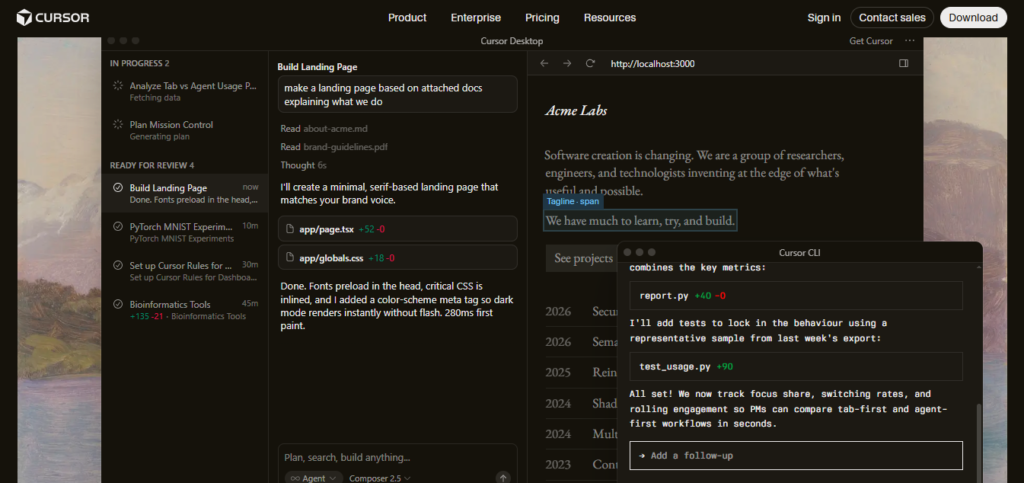
Cursor is the tool I reach for when a task is genuinely complex — multi-file refactors, implementing features end-to-end from a description, or debugging issues that span multiple components. After 10 months of testing, it’s the single tool that most consistently felt like having a capable senior developer available on demand.
My Experience
The Composer interface is where Cursor earns its reputation. I describe a feature — “add authentication middleware to this Express app with JWT tokens, update the route handlers, and write tests for the new endpoints” — and Cursor reads the existing codebase, maps the necessary changes across files, and implements them in a coherent, connected way. On straightforward tasks, this works remarkably well. On genuinely complex architectural changes, it still requires meaningful human oversight, but it reduces the manual implementation load dramatically.
One thing I noticed after consistent use: Cursor’s suggestions get noticeably better as the tool learns your patterns — and that calibration only happens through consistent use. The first two weeks feel ordinary. By month two, it’s producing first-draft code in your style that needs significantly less editing.
The background agents feature — running in parallel on isolated VMs, able to test their own changes, and record their work via video, logs, and screenshots — is a genuinely new capability for async, unattended coding tasks.
Pricing (2026)
Cursor moved to usage-based pricing in June 2025. Daily agent users typically spend $60-100/month total.</cite> The base Pro plan starts at $20/month, though heavy agentic use adds token costs on top. Teams plan is $40/user/month.
Pros
- Best-in-class multi-file agentic capability for IDE-based workflows
- Composer delivers end-to-end feature implementation from plain-language descriptions
- Background agents run unattended and test their own changes
- Learns your codebase patterns over time — quality compounds
Cons
- Pricing gets unpredictable with heavy agentic use under usage-based model
- Full-IDE replacement means leaving your existing editor setup
- Free tier hits limits very quickly — you’ll need Pro within a week of real use
Best For: Professional developers doing complex multi-file work who want the most capable AI-native IDE available.
2. GitHub Copilot — Best for Teams and Beginners
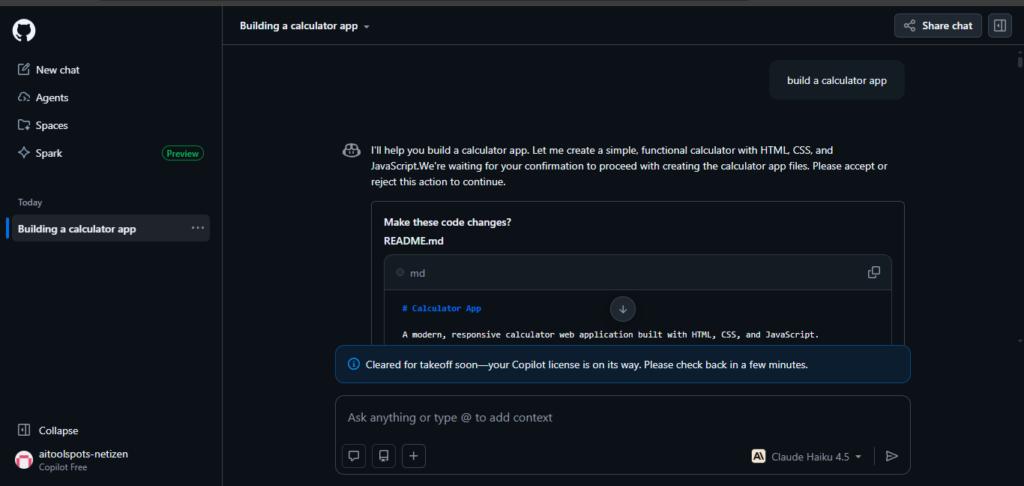
GitHub Copilot holds approximately 42% market share and is the easiest entry point for beginners and GitHub teams, with the widest IDE support and a free tier offering 2,000 completions per month.
My Experience
I used Copilot as my primary tool for the first three months of testing before gradually moving more complex tasks to Cursor. What Copilot does exceptionally well is staying out of your way — two-click install, works in every major editor, and inline suggestions that are accurate enough for routine coding without demanding you rethink your entire workflow.
In September 2025, Microsoft made Claude Sonnet 4 the default model for the GitHub Copilot CLI and a primary model in VS Code’s automatic AI model selection for paid users — a significant signal about model quality, and one that improved the output I was getting from Copilot noticeably in the latter months of testing.
For teams, the Enterprise tier’s GitHub-native PR analysis, inline commenting, and organization-wide policy management is the clearest differentiator over cheaper alternatives.
Pricing (2026)
- Free: 2,000 completions and 50 chat messages per month
- Pro: $10/month — most complete individual plan
- Business: $19/user/month
- Enterprise: $39/user/month — PR integration, IP indemnification, org-wide controls
Pros
- Broadest IDE compatibility — works where you already work, no editor switch required
- Most accessible entry price at $10/month for Pro
- Free tier is genuinely useful for casual and part-time coding
- Enterprise GitHub integration is the most mature in the category
Cons
- Agent mode trails Cursor and Claude Code for complex multi-file tasks
- SWE-bench score at 12.3% — lower than Cursor or Claude Code on autonomous task completion benchmarks
- Less useful without a GitHub-heavy workflow
Best For: Beginners, teams already on GitHub, and developers who want capable AI suggestions without switching their editor.
3. Claude Code — Best for Terminal Workflows and Large Codebases
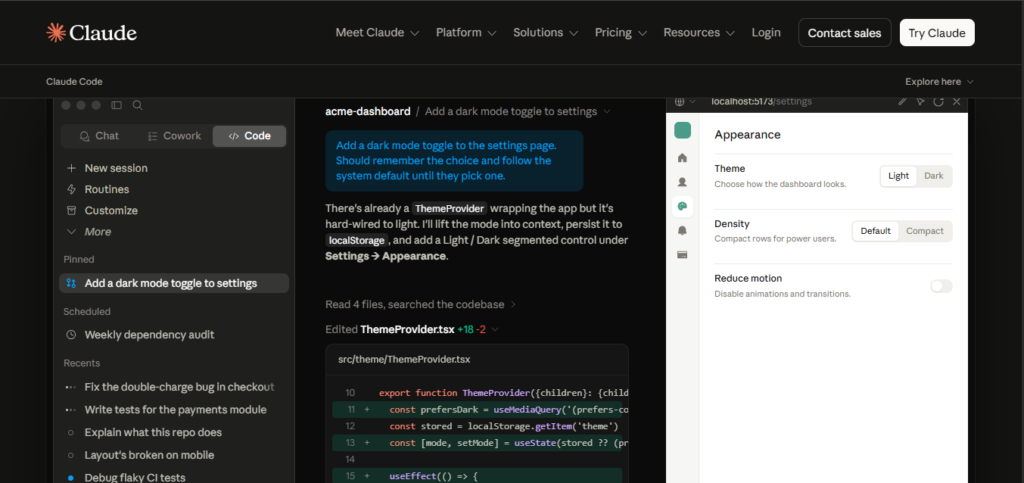
Claude Code is Anthropic’s terminal-first agentic coding tool, and it occupies a distinct position from every other tool on this list — it’s built for developers who prefer working from the command line and need an agent that can reason deeply about large, complex codebases.
My Experience
I tested Claude Code specifically on a legacy codebase — tens of thousands of lines, inconsistent naming, minimal documentation — that had defeated every other tool I threw at it. Claude Code’s plan-first approach stood out immediately: rather than diving into changes, it reads the relevant files, explains its understanding of the structure, proposes an implementation approach, and waits for confirmation before touching anything. That extra step saved me from several potential mistakes on a sensitive codebase.
Claude Code leads benchmark scores and excels at complex multi-file tasks from the terminal For large codebase analysis — understanding a system you didn’t write, tracing how data flows through interconnected modules, identifying root causes of bugs — nothing I tested matched it.
Pricing (2026)
Claude Code is included with Claude Pro at $20/month. The Claude Max plan at $100-200/month offers significantly higher usage limits for heavy daily users. There is no free tier for Claude Code.
Pros
- Best-in-class for large codebase understanding and analysis
- Plan-first approach reduces the risk of unintended changes on complex codebases
- Terminal-native — ideal for developers who live in the command line and GitHub workflows
- Highest benchmark performance among agentic tools tested
Cons
- No free tier — access requires a Claude Pro subscription at minimum
- Terminal-first approach is less intuitive for developers used to GUI editors
- Requires comfort with command-line workflows to get full value
Best For: Experienced developers with terminal-first workflows, large or legacy codebases, and complex debugging tasks.
4. Windsurf — Best Value Agentic IDE
Windsurf (formerly Codeium’s agentic editor) is the tool I’d recommend to any developer who wants Cursor-level agentic capability without Cursor’s pricing unpredictability.
My Experience
Windsurf’s Cascade system automatically indexes large codebases (500+ files) without requiring manual context selection — something I found genuinely useful on bigger projects where manually pointing the AI at relevant files becomes a workflow bottleneck. Cascade will run your test suite, read the failures, and iterate on fixes without needing manual prompting at every step.
At $15/month, Windsurf matches Cursor on price but wins on agentic terminal behavior for developers whose work centers on autonomous, multi-step task completion.
Pricing (2026)
- Free: Generous free tier with meaningful usage limits
- Pro: $15/month — full agentic features, Cascade indexing
- Teams: Available with collaboration features
Pros
- Best value-to-capability ratio among agentic IDEs
- Cascade automatically indexes large codebases without manual context selection
- Autonomous test-run-fix cycles with no manual prompting required
- Generous free tier for evaluating before committing
Cons
- JetBrains support only entered beta in 2026 — not yet stable for JetBrains users
- Smaller ecosystem and community than Cursor
- Less fine-grained control over AI actions compared to Cursor’s approach
Best For: Developers who want agentic IDE capabilities at a lower price point than Cursor, especially on larger codebases.
5. Tabnine — Best for Regulated Enterprise Environments
Tabnine is the only tool on this list with a genuinely different architecture from every other competitor — and that difference is the entire reason to choose it.
My Experience
I tested Tabnine specifically for the privacy and compliance angle, setting up a local deployment configuration to understand what the on-premise experience actually looks like. Unlike competitors that claim “private” and mean “we don’t train on your code,” Tabnine means the model runs inside your firewall — air-gapped deployments for regulated industries (finance, healthcare, defense) are a supported product configuration.
The autocomplete quality is competitive for routine coding. Where Tabnine trails every other tool on this list is in agentic multi-file capability — it handles standard tasks well but lacks the autonomous project-level reasoning of Cursor or Claude Code.
Pricing (2026)
Consumer tiers were retired in 2025. Tabnine now starts at $39/user/month, with the Enterprise Context Engine available at $59/user/month, which ingests your organization’s full codebase for context-aware suggestions.
Pros
- The only major tool supporting true air-gapped, on-premise deployment
- Zero code leaves your network — critical for healthcare, finance, and government environments
- Broad IDE support including legacy editors (Eclipse, Vim, Emacs, Sublime Text)
- Enterprise Context Engine trains on your proprietary codebase
Cons
- Expensive — entry price of $39/user/month after consumer tiers were retired in 2025
- No agentic multi-file capability comparable to Cursor or Claude Code
- Not the right choice for individual developers without enterprise privacy requirements
Best For: Development teams in regulated industries where code leaving the network is a hard compliance blocker.
6. Codeium (Free Tier) — Best for Budget-Conscious Developers
If you need solid AI coding assistance at zero cost, Codeium’s free autocomplete is unrestricted — unlike GitHub Copilot Free which caps at 2,000 completions per month.
My Experience
I used Codeium’s free tier as a benchmark throughout my testing to understand what “good free” looks like in 2026. The inline suggestions are accurate for routine tasks, and the unlimited completions make it genuinely viable as a daily driver for developers who can’t justify a paid subscription.
The ceiling is clear: Codeium’s free extension doesn’t include the multi-file agentic editing that defines Cursor and Windsurf. For a developer who wants AI suggestions without paying or switching editors, it delivers real value.
Pricing (2026)
- Free: Unlimited code completions, basic chat features
- Pro (Windsurf): $15/month — upgrades to full agentic capabilities through the Windsurf editor
Best For: Students, developers on tight budgets, and anyone who wants solid autocomplete without paying.
Which AI Coding Assistant Should You Choose?
After 10 months of daily testing, here’s my honest use-case breakdown:
- For complex multi-file work in an IDE: Cursor — nothing else comes close on agentic capability
- For teams on GitHub or beginners: GitHub Copilot — lowest friction, widest compatibility, most accessible pricing
- For terminal-first workflows and large codebases: Claude Code — best reasoning, best benchmark scores, best for code you didn’t write
- For agentic IDE work on a budget: Windsurf — Cursor-level features at $15/month
- For regulated enterprise environments: Tabnine — the only real choice when code can’t leave your network
- For zero budget: Codeium free tier — unlimited completions, no cost, no editor switch required
The Power-User Combination
Many developers combine a completion tool ($10/month) with an agentic tool ($15-20/month) for a total spend of $25-30/month — a small investment relative to the productivity gains. The most common pairing I saw in practice: GitHub Copilot for fast inline completions, plus Cursor or Claude Code for agentic multi-file tasks.
Final Verdict
The AI coding assistant market in 2026 is genuinely mature — every tool on this list delivers real, measurable productivity gains compared to coding without AI assistance. Industry data shows 78% of global development teams have adopted AI coding assistants, with teams coding 40% faster and reducing debugging time by 35% when these tools are integrated consistently into daily workflow.
The right tool is the one that matches your actual workflow — not the one with the most impressive demo. Start with a free tier, use it consistently for a month, and upgrade once you understand where AI adds the most value in your specific coding context.
Overall Ratings:
- Cursor: 4.6/5
- GitHub Copilot: 4.4/5
- Claude Code: 4.5/5
- Windsurf: 4.3/5
- Tabnine: 4.1/5 (for enterprise use only)
- Codeium Free: 4.0/5
Frequently Asked Questions
What is the best AI coding assistant in 2026? For most professional developers, Cursor AI delivers the best overall experience for daily IDE work, while Claude Code leads for large codebase analysis and autonomous tasks. For value, GitHub Copilot Pro at $10/month is hard to beat.
Is GitHub Copilot still worth it in 2026? Yes for most developers. The $10/month Pro tier provides capable autocomplete, chat, and agent mode across every major IDE. It’s the lowest-friction paid option and integrates directly with GitHub workflows. For complex multi-file agentic work, Cursor or Claude Code offer stronger capabilities.
Which AI coding assistant has a free plan? GitHub Copilot, Windsurf, and Codeium all offer free plans. Codeium’s free tier offers unlimited completions with no monthly cap. GitHub Copilot Free provides 2,000 completions and 50 chat messages per month.
Is Claude Code free? There is no free Claude Code tier. Access starts at $20/month on the Claude Pro plan.
Which AI coding tool is best for enterprise security? Tabnine is the only tool offering true air-gapped, on-premise deployment where code never leaves your network — essential for healthcare, finance, and government environments. GitHub Copilot Enterprise ($39/user/month) is the strongest choice for large teams on GitHub who need mature security controls without on-premise deployment.
Can AI coding assistants replace developers? No. All tools require human review — AI accelerates coding but doesn’t replace critical thinking. Every tool tested produced logic errors, security issues, or poor architectural patterns that required human oversight to catch. The productivity gains are real, but human judgment remains essential.

AI Tool Spots is a technology-focused platform dedicated to sharing the latest updates in Artificial Intelligence, software tools, automation, SEO, and digital innovation. We publish informative guides, honest reviews, tech tutorials, and valuable resources to help bloggers, entrepreneurs, marketers, and tech enthusiasts stay ahead in the digital world. Learn more at aitoolspots.com.