
If you’re looking for a genuine Runway review before spending your money, you’re in the right place. I’ve been using Runway ML for six months across real creative projects, social media video content, client marketing clips, product visuals, and experimental short-form storytelling. This isn’t a walkthrough of the features page. Every observation below comes from actual use, including the workflows that saved me hours, the moments that genuinely frustrated me, and the honest answer to whether Runway is worth the cost in 2026.
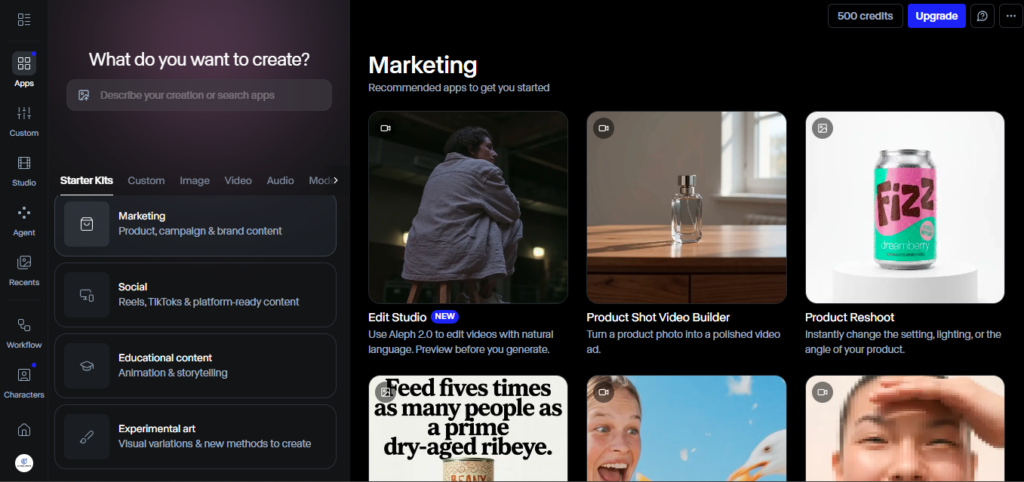
The short version: Runway ML produces the most cinematically impressive AI video available right now. But the credit system is punishing if you don’t understand it, and the Standard plan is far too limited for serious use. Let me break down everything you need to know.
What Is Runway ML?
Runway ML is a New York-based AI video generation and editing platform founded in 2018 by AI researchers who were among the pioneers of generative video technology. what started as an experimental research tool has evolved into one of the most powerful AI creative suites available — used by professional filmmakers, content creators, marketing agencies, and VFX artists globally.
Runway is backed by Google, Nvidia, and Salesforce, achieving a $1.5 billion valuation, which gives you a sense of how seriously the industry takes this platform. The company has released a successive string of increasingly powerful video models — Gen-1, Gen-2, Gen-3 Alpha, and now the Gen-4 and Gen-4.5 family — each representing a significant quality leap over its predecessor.
As of 2026, Runway’s Gen-4 models are widely regarded as producing the most cinematically coherent AI video available, with motion physics, subject consistency, and lighting behavior that approaches professional VFX quality on targeted prompts.
My 6 Months Testing Experience
I started on Runway’s free plan six months ago, mostly to benchmark it against other AI video tools I was evaluating at the time. The free tier gives you 125 one-time credits with access to gen-3 Alpha models only, which is enough to understand the interface and output quality but not enough for serious production.
Within the first two weeks, I upgraded to the Standard plan ($12/month annually) to unlock Gen-4 access and watermark-free exports. This is where I ran into my first real frustration — and learned the most important lesson about using Runway: the credit math is brutal on Standard.
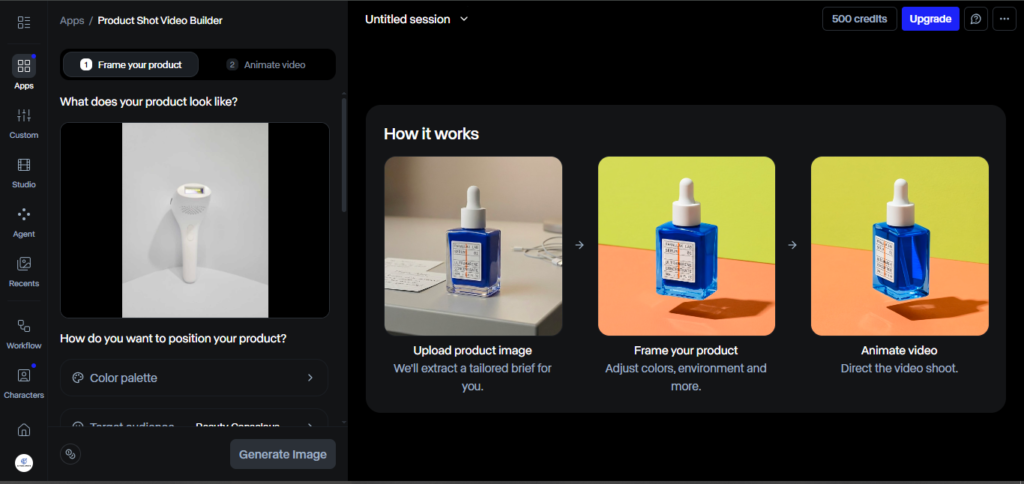
On the Standard plan with 625 credits, accounting for a realistic 3:1 iteration ratio, three generations per final usable clip — you end up with roughly four finished clips per month. For anyone doing serious content production, that’s not a working budget; it’s barely a trial.
By month two, I moved to the Pro plan ($28/month annually, 2,250 credits) and the experience changed completely. With more credits and room to iterate without constant anxiety about depletion, I could actually work the way creative projects demand — testing different prompts, refining motion, and generating variations until the clip matched the vision.
During months three and four, I pushed into Gen-4.5 and the Act-Two motion capture feature. Gen-4.5 is Runway’s most cinematic model, but it’s also the most credit-intensive: Gen-4.5 costs approximately 5 credits per second, yielding about 45 seconds of video on the Pro plan’s 2,250 credits. For short-form content where I needed one or two polished 5-second hero clips per project, this worked well. For high-volume production, the math gets tight quickly.
By months five and six, Runway had become the tool I reached for specifically when visual quality was the priority over speed or volume. Not every project warrants it — but when a client needs cinematic AI video that doesn’t look like it came from a generic template, nothing else I’ve tested comes close.
Key Features of Runway ML in 2026
1. Gen-4 and Gen-4.5 Video Generation
The flagship feature and the reason most people are here. Gen-4 represents a massive leap in AI video quality — temporal consistency, how smoothly motion flows from frame to frame, is remarkably improved over Gen-3. Human figures move more naturally, camera movements feel intentional rather than glitchy, and lighting responds realistically to scene changes.
Gen-4.5, the latest model, pushes quality further still — stronger character consistency, better prompt adherence, and more nuanced motion physics. The tradeoff is higher credit consumption per second of footage, which makes it best reserved for final production clips rather than iterative testing.
2. Text-to-Video, Image-to-Video, Video-to-Video
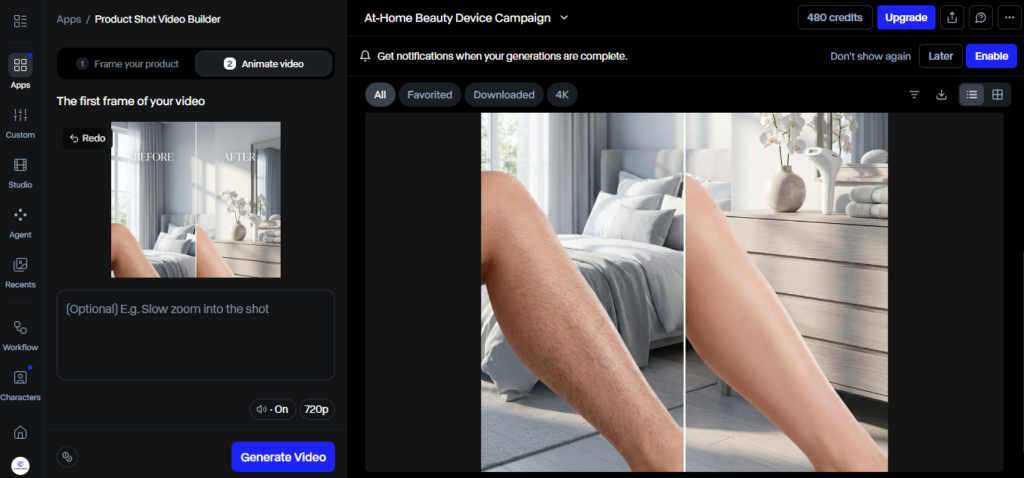
Runway supports three core generation modes:
- Text-to-Video: Write a detailed prompt and Runway generates a 5–10 second clip. The more specific your prompt — lighting conditions, camera angle, scene mood — the closer the output gets to your vision.
- Image-to-Video: Upload a still image and Runway animates it with camera movement or scene development. This is particularly strong for maintaining brand visual consistency, since the AI anchors the output to your reference image.
- Video-to-Video: Apply AI-driven transformations to existing footage — changing style, environment, or visual treatment while preserving the original motion structure.
During my testing, Image-to-Video became my most-used mode for client work. Upload a reference image and the model generates video that maintains the style, colors, and subjects with impressive accuracy — significant for brand consistency and creative control.
3. Act-Two Motion Capture
Act-Two is one of Runway’s most distinctive features in 2026. It lets you apply real human movement to AI-generated characters — effectively transferring motion capture data from a reference video onto a generated figure. For animation and character-driven content, this opens up creative territory that previously required expensive motion capture studios. I used it to create a short animated marketing sequence for a client, and the movement quality was genuinely convincing.
4. Runway Aleph (In-Video Editor)
Runway Aleph provides the integrated editing environment that turns Runway from a clip generator into a complete production platform. Instead of generating clips and then exporting them to a separate editor, you can trim, sequence, add audio, apply effects, and refine the final output without ever leaving the browser. For a cloud-based tool, the editing capabilities are surprisingly robust.
5. Additional AI Tools
Beyond video generation, Runway includes a full suite of AI editing tools:
- Green Screen Removal — background removal without a physical green screen
- Motion Brush — add directional motion to specific elements in a still image
- Inpainting — remove or replace objects within existing video footage
- Slow Motion — AI-upscaled slow motion from standard clips
- 4K Upscaling — resolution enhancement for generated or imported footage
During six months of use, green screen removal and inpainting became regular parts of my editing workflow. Both work accurately with clean source footage.
Runway ML Pricing in 2026
This is the section that most Runway reviews gloss over — and it’s the most important one for making a real decision.
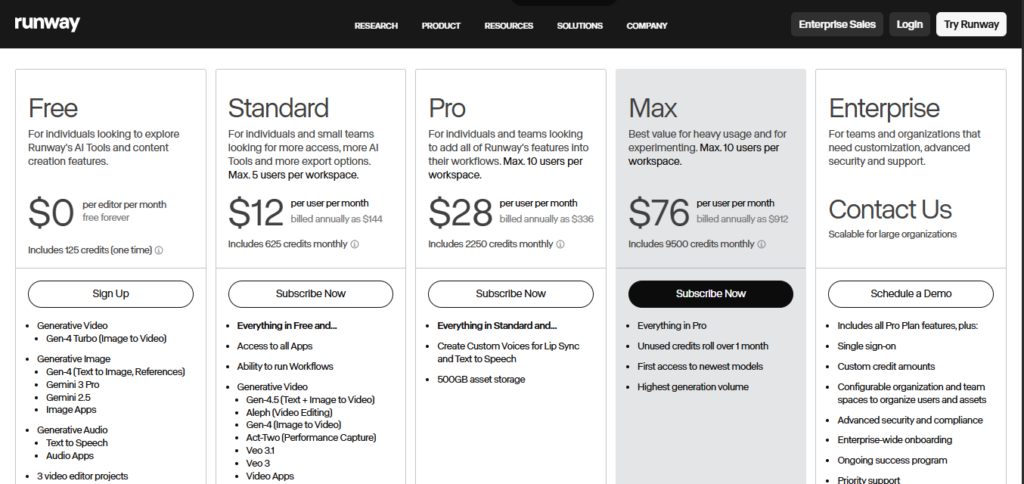
Runway ML pricing starts at $12/month (billed annually) and scales to $95/month for unlimited generation access — but the real cost depends on which models you use, how many seconds you render, and whether you understand the credit system.
Here’s the full plan breakdown:
| Plan | Monthly Price (Annual) | Credits/Month | Best For |
| Free | $0 | 125 one-time | Testing only — Gen-3 access, watermark on exports |
| Standard | $12/month | 625 | Light exploration — Gen-4 access, too limited for production |
| Pro | $28/month | 2,250 | The sweet spot for serious creators |
| Unlimited | $76/month | 2,250 + Explore Mode | High-volume studios and agencies |
| Enterprise | Custom | Custom | SSO, compliance, workspace analytics |
Understanding the credit math:
- A 10-second Gen-4 Video Turbo clip costs 50 credits. A 10-second Gen-4 Video or Gen-4.5 clip costs 120 credits.
- 4K upscaling adds additional credit cost on top of generation.
My honest recommendation: The Standard plan is not a real working plan — it’s an extended trial. The Pro tier at $35/month (monthly) or $28/month (annual) is where the platform delivers real value for anyone building AI video into their workflow. The Unlimited plan’s Explore Mode offers unlimited generations at a relaxed queue rate, which removes credit anxiety entirely for high-volume teams but comes with queue delays during peak times.
Who Should Use Runway ML?
Based on six months of real production experience:
Great for:
- Filmmakers and VFX artists who need cinematic output quality that stands up to professional scrutiny
- Marketing teams and agencies producing high-value hero clips, product videos, or brand content where visual quality matters most
- Content creators who have time to learn the credit system and prompt engineering involved
- Animation creators using Act-Two for character-driven motion content
- Anyone replacing expensive stock footage with original AI-generated visuals
Not ideal for:
- High-volume social media creators who need 20+ clips per month at low per-clip cost — the credit economics don’t favor volume
- Beginners wanting plug-and-play simplicity — Runway’s power comes with a learning curve around prompting, credit management, and model selection
- Talking-head and avatar video production — tools like Synthesia are purpose-built for that use case and more efficient at it
- Budget-conscious individual creators — Runway’s Standard plan is too limited for real use, making the effective entry point $28/month on Pro
Runway ML Pros and Cons
Pros
- Gen-4 cinematic quality — genuine motion coherence, subject consistency, and lighting physics that approach professional VFX standards — sets the benchmark competing platforms are measured against
- Full browser-based production suite — generate, edit, and export without leaving the platform
- Act-Two motion capture is a genuinely category-defining feature for animation
- Image-to-Video maintains brand visual consistency more accurately than most competitors
- Strong backing and active model development — new improvements ship regularly
- No software installation required — everything runs in the browser
Cons
- Credit system is complex and punishing for iterative, experimental workflows
- Standard plan ($12/month) is too credit-limited for serious production work
- Gen-4.5 credit cost per second limits its practical use to final production clips only
- Unlimited plan’s Explore Mode has queue delays during peak demand
- Steeper learning curve than simpler competitors — quality outputs require strong prompt engineering
- Not cost-effective for high-volume, lower-stakes social content
Runway ML vs Competitors
Runway vs Synthesia: These serve completely different use cases. Synthesia ($22/month) specializes in avatar talking-head videos for training and corporate communication. Runway is for cinematic, generative video. If you need a presenter speaking to camera, Synthesia wins. If you need visually impressive AI footage for marketing or film production, Runway has no real equal.
Runway vs Pika: Pika offers competitive quality starting at $10/month but with a simpler feature set. For creators who want a lower entry price and simpler workflow, Pika is worth evaluating. For professional cinematic output, Runway’s Gen-4 quality is clearly ahead.
Runway vs Kling: Kling has emerged as a genuine quality competitor at better pricing — a legitimate alternative for creators where budget is a primary concern. In side-by-side quality tests at equivalent prompts, Runway’s Gen-4.5 still edges ahead on motion coherence and lighting realism, but the gap is narrowing.
Final Verdict: Is Runway Worth It in 2026?
After six months of real production use, here is my honest verdict:
Runway ML is the best AI video generation platform in 2026 for creative professionals who need cinematic output quality and a full editing suite. The credit system requires planning, and the Standard plan is genuinely too limited for regular production work. But at the Pro tier ($28/month annually), Runway delivers real, measurable value for filmmakers, agencies, and content creators who are building AI video seriously into their workflow.
If your primary need is high-volume, low-cost clips for social media — Runway is not the right tool. If your priority is visual quality that holds up next to professional production content, nothing else comes close right now.
My Rating: 4.4 out of 5
Frequently Asked Questions
What is Runway ML used for?
Runway ML is an AI video generation and editing platform used for creating cinematic video clips from text or image prompts, applying motion to still images, removing backgrounds, transferring motion capture to AI characters, and editing video content — all within a browser-based interface.
How much does Runway ML cost in 2026?
Runway plans start at $12/month (Standard, annually) and scale to $28/month (Pro, annually) and $76/month (Unlimited, annually). The free plan offers 125 one-time credits with Gen-3 access only.
Is Runway ML’s free plan worth it?
The free plan is useful for testing the interface and understanding output quality, but its 125 one-time credits and Gen-3-only access make it too limited for actual production work.
What is Gen-4.5 in Runway?
Gen-4.5 is Runway’s most advanced video generation model in 2026, offering stronger character consistency, smoother motion physics, and better prompt adherence than Gen-4 or Gen-4 Turbo — at higher credit cost per second of footage.
Is Runway ML better than Synthesia?
They serve different purposes. Runway excels at cinematic, generative AI video for creative and marketing work. Synthesia is better for structured avatar-based talking-head videos for corporate training and multilingual content. The right tool depends entirely on your use case.
What is Act-Two in Runway?
Act-Two is Runway’s motion capture feature that transfers real human movement from a reference video onto AI-generated characters, enabling realistic, natural motion in animated content without physical motion capture equipment.

AI Tool Spots is a technology-focused platform dedicated to sharing the latest updates in Artificial Intelligence, software tools, automation, SEO, and digital innovation. We publish informative guides, honest reviews, tech tutorials, and valuable resources to help bloggers, entrepreneurs, marketers, and tech enthusiasts stay ahead in the digital world. Learn more at aitoolspots.com.